
Learning how a language model is trained usually means dealing with GPU memory, datasets and several layers of framework code. MiniMind makes the model small enough for more accessible experiments and publishes its architecture, data handling and training scripts. You can follow how text enters the model, how loss is computed and how saved weights become a chatbot.
The current mainline is MiniMind-3. Its Dense model has approximately 64 million parameters. The MoE model is listed as 198M-A64M: about 198 million parameters in total and 64 million active parameters. The 26-million-parameter figure in older introductions belongs to historical models such as MiniMind2-small. Code, tutorials and downloaded weights need to refer to the same generation.
A smaller model with visible training steps
The core model and training algorithms are implemented in native PyTorch. The architecture diagram connects tokenization, embeddings, attention, feed-forward layers and the output. Integration with tools such as Transformers remains available. Readers with some Python and deep learning experience can relate the concepts to individual parts of the implementation.
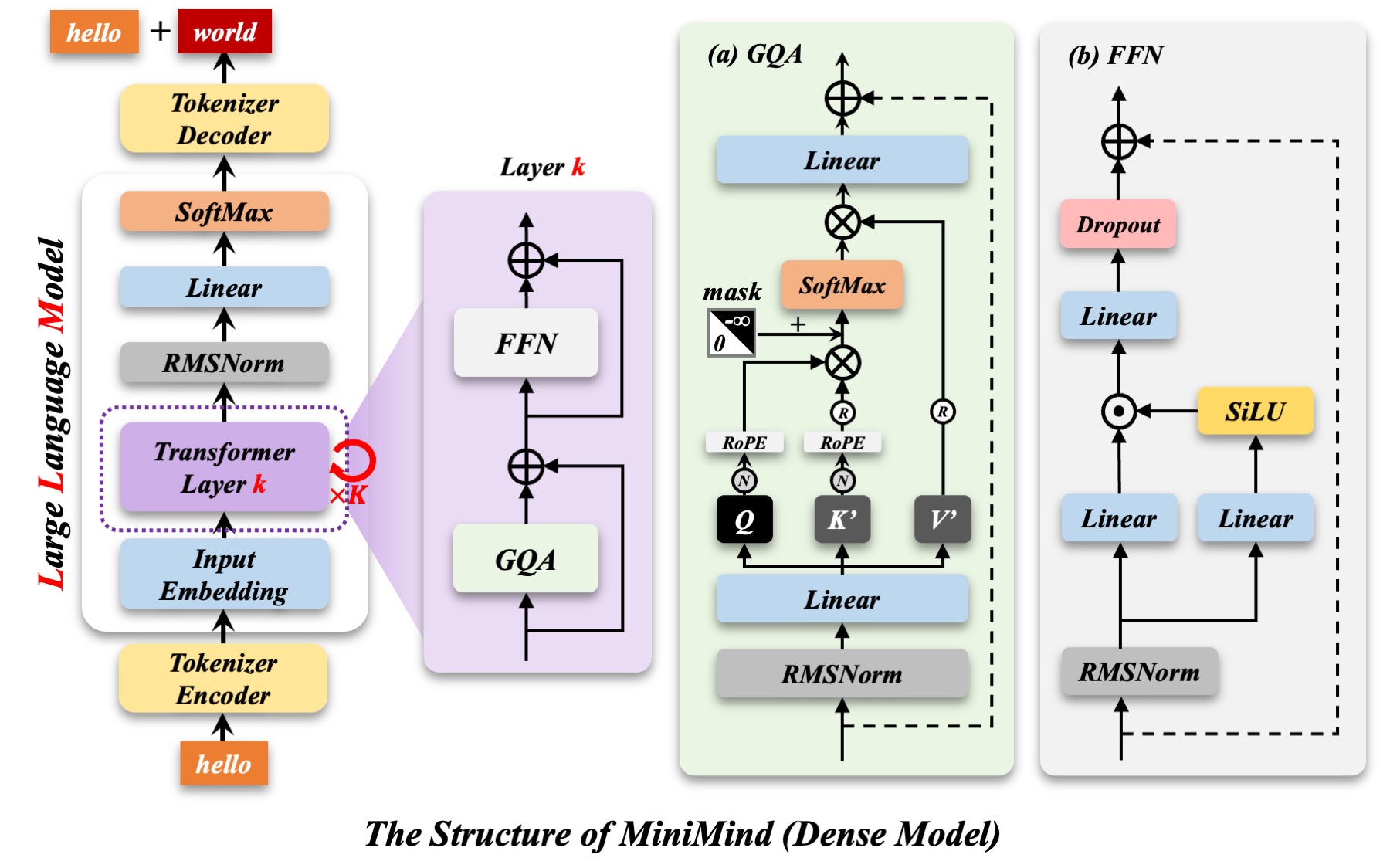

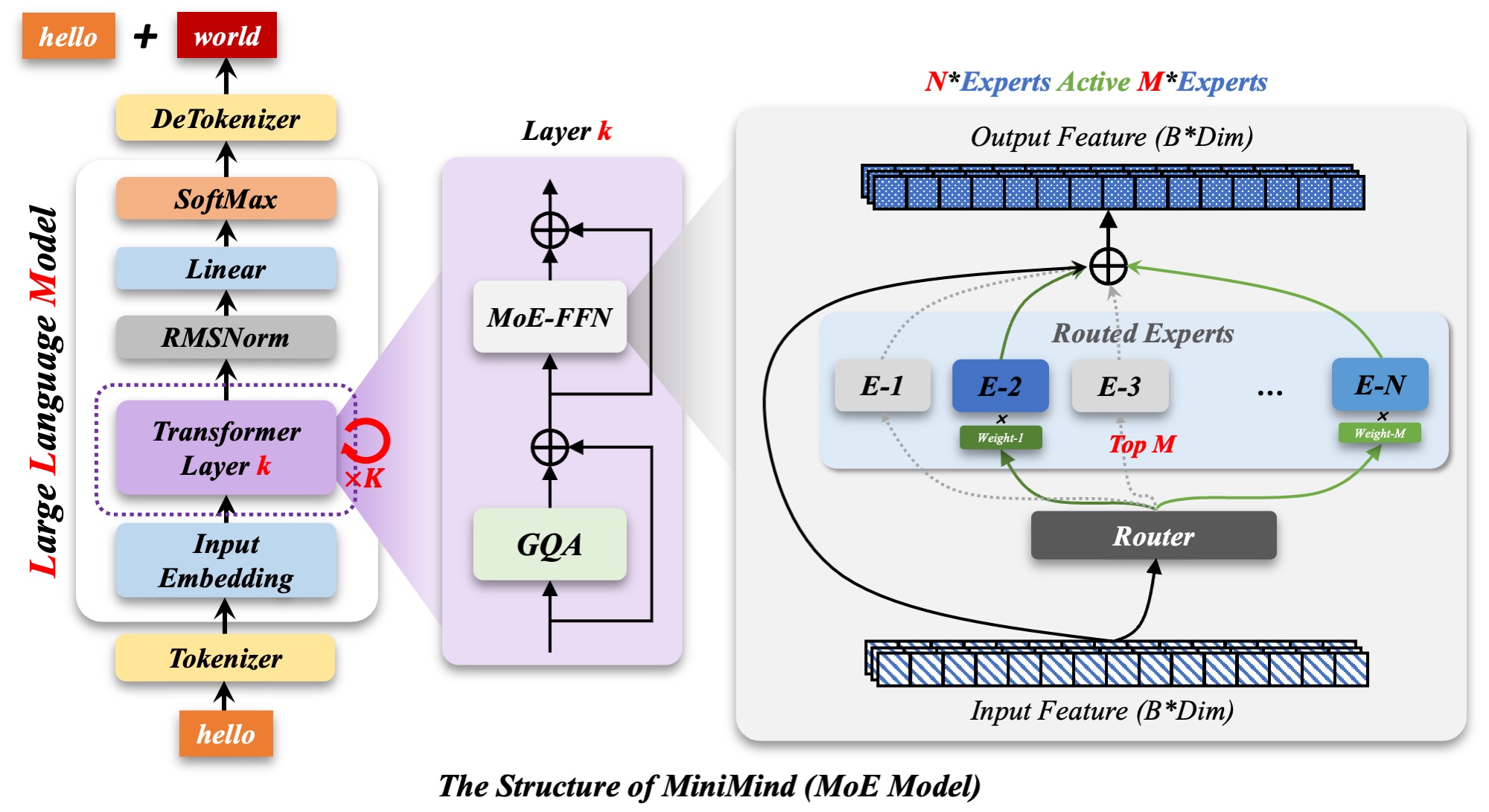
MiniMind includes Dense and MoE architectures. An MoE router selects some experts for each token, so total parameters and active parameters describe different quantities. Starting with Dense makes the first reproduction easier to follow; the MoE version then offers a way to study routing, auxiliary loss and resource use.

From next-token prediction to answering instructions
The basic path consists of pretraining followed by supervised fine-tuning, or SFT. Pretraining learns patterns in text. SFT uses conversational examples to shape question-answer behavior. Each stage has a training script and JSONL data loading, with saved weights passed to the next stage.
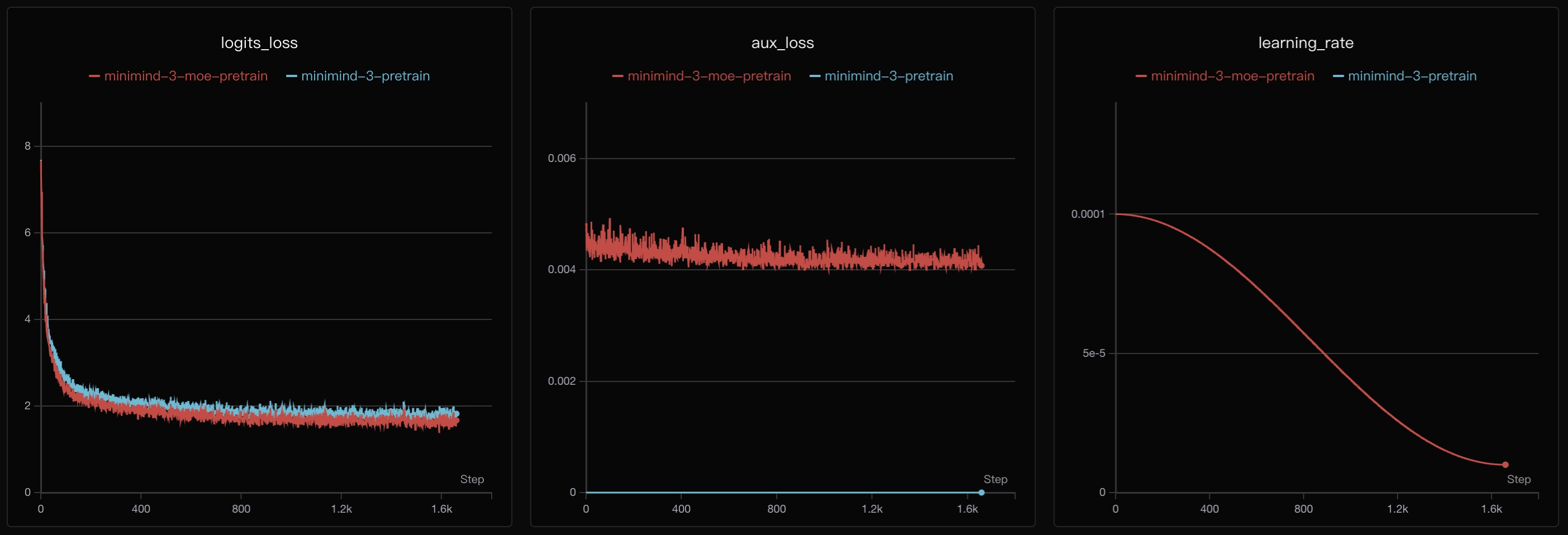
The repository's pretraining chart below shows logits loss, auxiliary loss and the learning-rate schedule for Dense and MoE runs. It helps explain a training log. Falling loss alone does not establish that a model is useful for a particular task; separate examples are needed to inspect its answers.

The repository also contains LoRA, DPO, PPO, GRPO, CISPO, distillation and Agentic RL experiments. LoRA adjusts the model with fewer trainable parameters. Preference optimization and reinforcement learning introduce different training signals. Completing pretraining, SFT and evaluation first makes it easier to see what each stage changes.
What the two-hour, three-yuan example covers
The README identifies a specific experiment: one SFT epoch on a single NVIDIA RTX 3090 took two hours, and the GPU rental for that period cost three yuan. This does not include every training stage, downloads, environment setup, debugging or the cost of training on different amounts of data.
The current pretraining and SFT scripts both default to two epochs, which differs from the one-epoch example. Dataset size, sequence length, batch size, architecture and GPU affect time and memory use. The author's multi-GPU workstation is a reference setup; a single-GPU training path is also provided.
Inspecting the result
You can download released MiniMind-3 weights and try a command-line conversation before reproducing training. A Streamlit chat interface and an OpenAI-compatible API example are also included, with fields for reasoning content and tool calls.
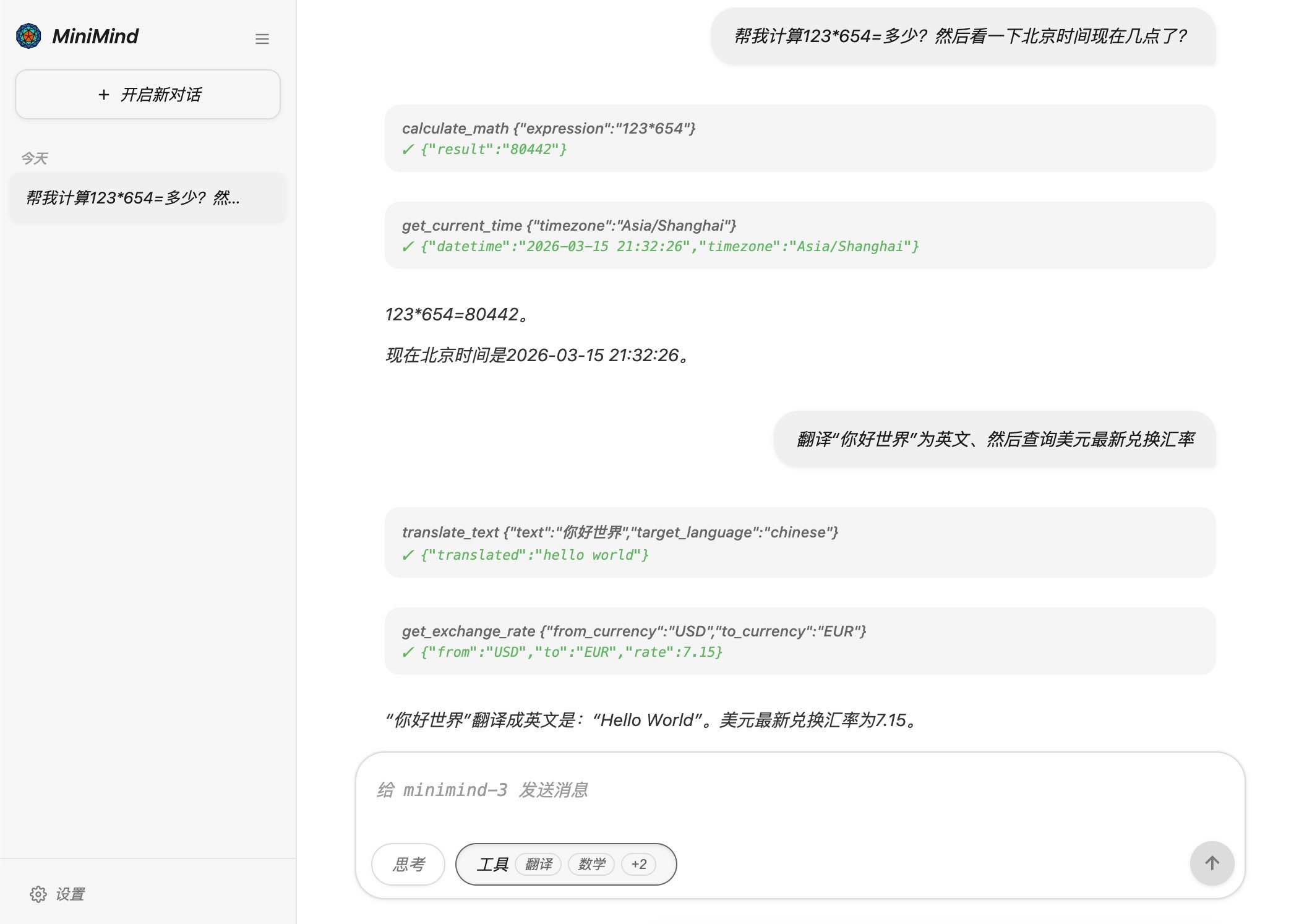

This screenshot is the author's tool-call demonstration. It shows where requests, tool results and final answers appear. It is an example interface, not an accuracy test for arithmetic, translation or live queries. For your own experiment, keep a fixed set of prompts and compare answers, errors and inference speed across checkpoints.
Where it is useful
MiniMind is a practical project for studying language model training, data formats and fine-tuning methods through repeatable small experiments. Its knowledge coverage, complex reasoning and long-context performance are still constrained by model size and training data. Evaluate it on your own examples before choosing it for a business task.
The project uses Apache 2.0. Check the terms for code, downloaded datasets and model weights separately, and record the code revision used for reproduction. This article examines the MiniMind-3 code and public documentation. All images come from the project repository and do not represent a training run performed for this article.
Resources: GitHub repository · English documentation · Model implementation · SFT script · MiniMind-3 weights · License