
Task-based tool search
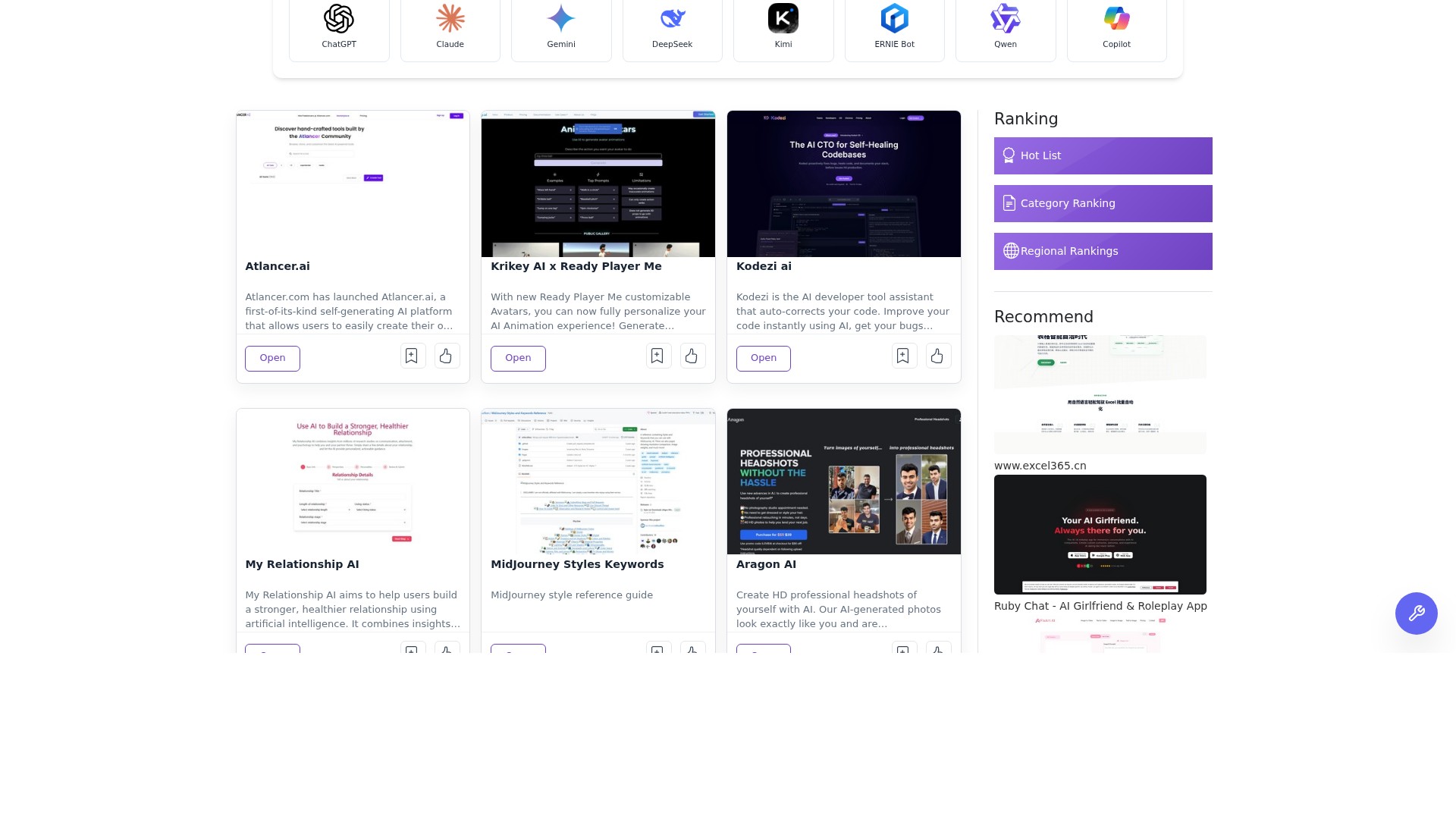
A search field on the homepage and the AI tools directory lets visitors look for tools by what they want to do, with the stated aim of browsing by task and comparing key features.
TOOL PROFILE TOOLAI
A browsable directory for finding AI tools by task and category, with guides, GitHub picks, model tracking and AI news.
 View full image
THE BIG PICTURE
ToolAI.io is a browser-based directory that helps people locate AI tools for a given task. Its homepage frames the product as a way to "Find AI Tools for Your Next Task" and invites visitors to browse by task, compare key features and open the guide that fits what they want to create. The library is organized into broad areas such as Text, Image, Code, Audio, Video, 3D, Business and Lifestyle, each with narrower subcategories like copywriting, image generation, code assistants, transcription, video editing and productivity.
Beyond a simple listing, ToolAI.io presents editorial and discovery layers. The homepage includes a weekly popularity ranking, a featured tools section, "Field Notes" guides and comparisons (for example a guide comparing AI detector tools and a workflow guide for choosing an AI presentation tool), a GitHub picks section highlighting open-source projects, a model radar tracking new model releases, and an AI news briefing. These sections are presented as ways to read beyond a single tool listing and put results in context.
The directory also supports community and submission features. Visitors can sign in or create an account, save tools as favorites, submit a tool, or reach a Publish Article entry point. A dedicated submission page describes a paid listing process with a first-month homepage display, priority review, permanent listing and a dofollow website link. Category pages show counts for each subcategory, giving a sense of how many tools are listed in each area.
A CLOSER LOOK
Explore product screens and published examples. Open any image for a closer look.
WHAT YOU CAN DO
Get to know the capabilities. Find your own way to use them.
A search field on the homepage and the AI tools directory lets visitors look for tools by what they want to do, with the stated aim of browsing by task and comparing key features.
The library is divided into eight top-level categories (Text, Image, Code, Audio, Video, 3D, Business, Lifestyle) with 65 subcategories such as copywriting, image editing, code assistant, transcription and productivity, each showing a tool count.
The homepage highlights featured tools with short descriptions and an Open link, and includes a weekly popularity ranking section for discovering tools that are currently popular.
Editorial guides cover practical workflows and comparisons, such as a guide comparing AI detector tools and an eight-slide workflow for choosing an AI presentation tool among Gamma, Canva and Beautiful.ai.
A GitHub section surfaces notable open-source projects with repository name, short description, star count and language, covering areas such as document conversion, agent skills, agentic coding and speech recognition.
A model radar tracks new model releases with vendor and release date, while an AI briefing lists recent AI stories and launches in a concise stream.
Visitors can sign in or create an account and save tools as favorites so they can be found again later.
The submit tool page collects tool name, website and description, then presents a paid submission plan with first-month homepage display, priority review, permanent listing, a dofollow website link and SEO optimization support.
MADE FOR YOUR WORKFLOW
A user who needs to write, edit images, generate video or analyze data can search by task or browse the relevant subcategory to shortlist tools and open their listings.
Field Notes comparisons and guides, such as the AI detector comparison, can help a user understand trade-offs between several tools before choosing one for a workflow.
Developers and researchers can use the model radar and GitHub picks sections to follow recent model releases and notable open-source repositories in one place.
A tool maker can submit a product through the submission form, review the paid plan terms and, after payment, have the listing reviewed and displayed to directory visitors.
YOUR FIRST STEPS
Go to the ToolAI.io homepage or the AI Tools Directory page to see featured tools, categories and the search field.
Enter a task in the search field, or open a top-level category such as Text, Image or Code and then a subcategory to narrow the list.
Open a tool entry to read its short description and follow the Open link to the tool's own website.
Sign in or create an account to save tools as favorites so they can be found again later.
Use the Submit Tool page to enter the tool name, website and description, then review the fee and choose a payment method in the next step; paid submissions are described as receiving priority review.
PLAN YOUR NEXT STEP
Submitting a tool is a paid listing; the fee is reviewed and a payment method chosen in the next step, with no payment taken at the point of filling in the form.
Prices, usage limits and terms can change. Confirm the latest details on the tool's official website before subscribing.
The submission page shows a total amount field and a PayPal payment step but does not publish a specific figure, currency or billing period, so the exact fee is confirmed during submission checkout. No plan amounts are listed here.
Sources checked
It is a web-based directory for finding AI tools. The homepage describes it as a place to browse by task, compare key features and open a guide that fits what you want to create, covering areas such as writing, image creation, coding, video and productivity.
The library uses eight top-level categories — Text, Image, Code, Audio, Video, 3D, Business and Lifestyle — divided into 65 subcategories such as copywriting, image generator, code assistant, transcriber and productivity, each with a tool count.
No. ToolAI.io is a directory and discovery site. It introduces tools and links to their own websites, alongside guides, GitHub picks, model entries and news.
Yes. The site offers sign in and sign up, and a favorites feature is shown alongside tool entries so saved tools can be found again.
Use the Submit Tool page, enter the tool name, website and description, then review the fee and choose a payment method in the next step. The page states that no payment is taken at the point of filling in the form.
The submission page lists first-month homepage display, a priority review channel, permanent listing, a dofollow website link and SEO optimization support as benefits of the paid submission plan.
The exact listing fee is confirmed during submission checkout. Review the amount and payment terms before completing payment.
FROM THE COMMUNITY
Sign in to share your experience and help others find the right tool.
YOUR NEXT DISCOVERY

An AI assistant with different personas for various tasks.

It’s okay to not know what’s happening or what you should be doing with AI. That’s what Artificial Ignorance is for. Artificial Ignorance posts simple, practical explanations of AI companies and concepts that are important to know and interesting to read.

1. No programming required 2. Access to large AI models 3. Real-time data training 4. Real-time preview and debugging 5. Sharing and reuse

Eiren AI is an all-in-one app for personal growth, mindfulness, and spirituality that helps users reduce stress and find deeper meaning through AI-driven meditations, task management, journaling, and mood analysis tools.
MAKE YOUR NEXT MOVE
Visit the official website to explore the latest features and get started.