TOOL PROFILE TOOLAI

Telegram Video Downloader

Browser-first Telegram media downloader for videos, photos, audio, GIFs and Stories from accessible chats and channels

tgvideodownloader.comPRODUCT PREVIEW
Illustration published on the official product website; see the source page for its context. View full image
Illustration published on the official product website; see the source page for its context.Images: 4

THE BIG PICTURE

About Telegram Video Downloader

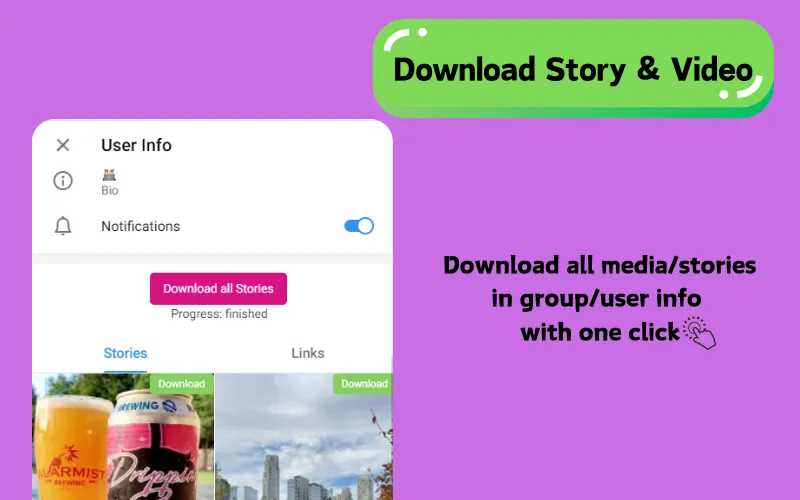
TG Downloader is a Telegram media downloader offered as a Chrome extension and a desktop client for Windows and macOS. According to its official site, it helps users save supported videos, photos, audio, GIFs and Telegram Stories from public or private channels and groups they can already access. The site emphasizes a browser-first workflow that works directly inside Telegram Web (versions A or K), so users do not need to copy individual links into a separate website, and it states that no TG Downloader account, API setup or Telegram password is required.

The product positions itself around convenience and volume: it advertises unlimited downloads, one-click actions, batch selection of multiple media items from the current conversation, and support for media in private channels where standard saving may be disabled. It also describes a dedicated Chrome extension for capturing Telegram media with one click and a desktop client for high-speed bulk downloads without browser limits. The site lists supported media types including videos, photos and images, GIFs, music and audio, and Telegram Stories, and mentions MP3 audio output and MP4 video.

On privacy, the official pages state that the tool never asks for or stores Telegram login credentials, requires no registration or email address, and does not collect personal data such as chats, profile or private history. The site also notes practical constraints: actual download speed depends on network quality, Telegram availability and file size, and protected channels may restrict download actions. Free usage may have daily limits, while paid plans are described as unlocking private channel support, batch workflows and priority support.

WHAT YOU CAN DO

A toolkit worth exploring

Get to know the capabilities. Find your own way to use them.

Browser-first Telegram Web workflow

The downloader works directly inside Telegram Web (versions A or K) rather than requiring users to paste links into a separate website. The site states that no TG Downloader account or API setup is required, and that users browse and select media from the current conversation.

Private and save-restricted media support

According to the official pages, the tool can save compatible media from private channels and groups the user has joined, including cases where standard saving is disabled, provided the user has legitimate access. Paid plans are described as including private chats and channels.

Batch media extraction

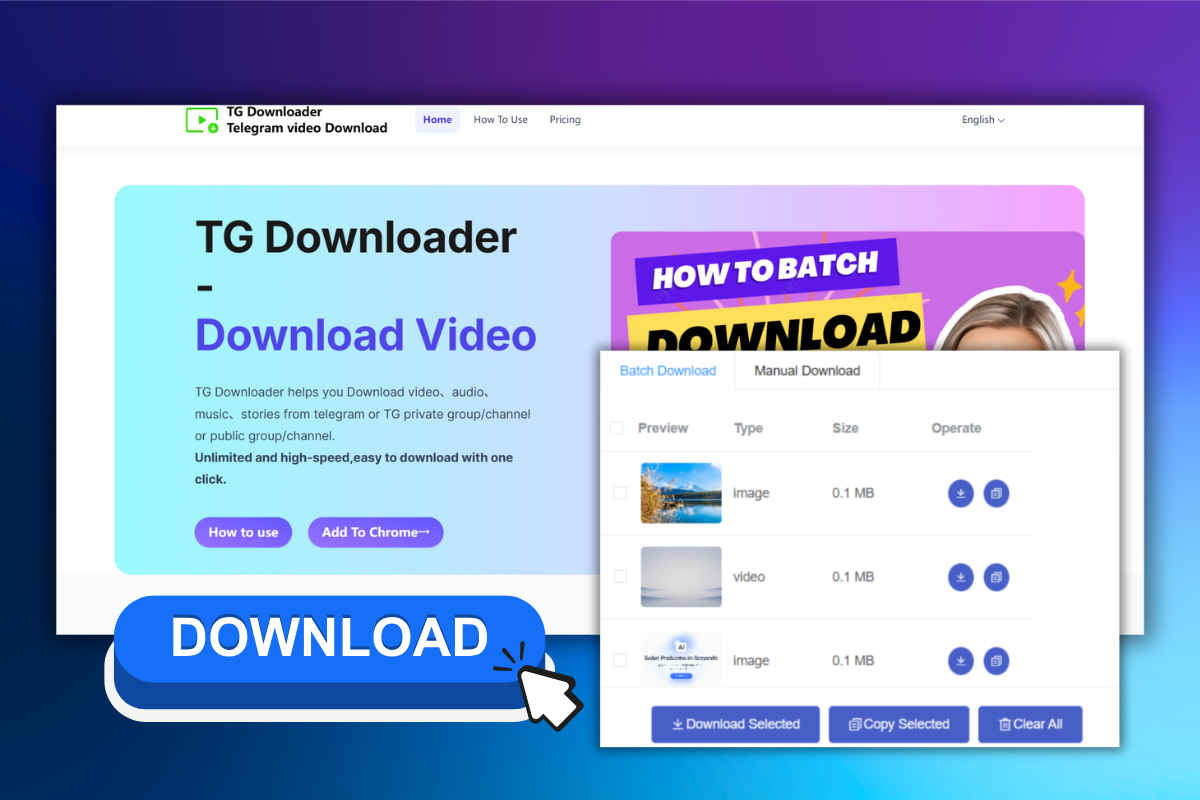
Users can select multiple videos, photos or audio items from the current conversation and download them together in one batch instead of repeating the same action for each item. The pricing page lists batch downloads as limited on the free plan and available on paid plans.

Multiple media types in one workflow

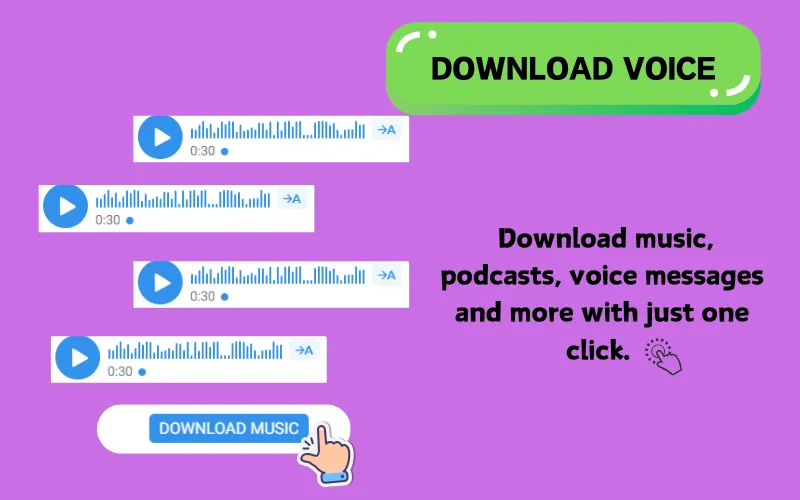
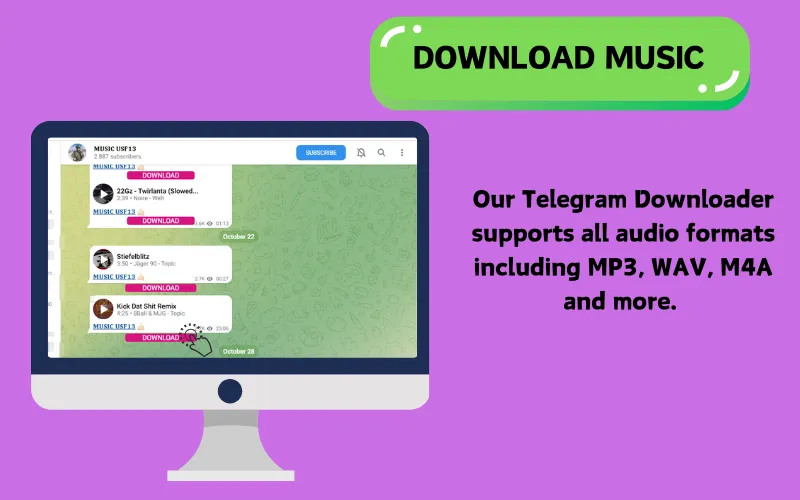
The site lists support for videos (MP4, AVI, MKV), photos and images (JPEG, PNG, GIF), audio (MP3, WAV, AAC), documents (PDF, DOCX, XLSX, PPTX), GIFs and animated content, and accessible Telegram Stories. It also advertises MP3 audio output and MP4 video.

Chrome extension

A dedicated Chrome extension is offered to capture Telegram media content with one click. The site presents it as the primary browser-based way to use the downloader alongside Telegram Web.

Desktop client for Windows and macOS

A dedicated desktop client is offered for Windows and macOS, described as providing unlimited high-speed bulk Telegram downloads with zero browser limits.

No credentials or registration

The official pages state that the tool never asks for or stores Telegram login credentials, requires no registration or email address, and does not collect personal data such as chats, profile or private history.

Unlimited downloads on paid plans

The pricing page lists unlimited daily downloads on the Monthly, Quarterly and Lifetime plans, compared with 3 downloads per day on the Free plan. The Lifetime plan additionally lists 24/7 priority support, ultra-high speed downloads and all advanced features.

MADE FOR YOUR WORKFLOW

Where it fits into your day

USE CASE 01

Saving important personal chat media

Users can keep copies of videos, photos, voice messages and documents shared in personal Telegram chats, making frequently used files easier to find and access outside a long conversation.

USE CASE 02

Organizing course materials and learning resources

Students in Telegram learning communities can collect lecture recordings, tutorial videos, PDFs, audio lessons and images into a local study library for later review without searching through old messages.

USE CASE 03

Collecting shared work materials

Professionals can move product images, videos, creative assets, presentations, audio notes, screenshots and documents shared by teammates into local project folders.

USE CASE 04

Preparing media for offline access

Users can save videos, course materials and reference files locally before a long trip or before working without an internet connection, and organize them into folders for easier access.

YOUR FIRST STEPS

From first click to first result

Try it on the official website
  1. Install the Chrome extension or desktop client

    Choose the browser extension for Chrome or the desktop client for Windows and macOS from the official site, and install or download the option that fits the intended workflow.

  2. Open Telegram Web

    Use Telegram Web version A or K and sign in as usual. The downloader is described as working directly inside Telegram Web without requiring a separate TG Downloader account or API setup.

  3. Browse to the conversation containing the media

    Open the public or private channel, group or chat that contains the videos, photos, audio, GIFs or Stories you can access.

  4. Select and download media

    Use the available download actions surfaced by the extension to save individual items, or select multiple items for a batch download. If a download button is not visible, the site suggests refreshing Telegram Web, waiting a few seconds for the UI to re-render, and trying the other Telegram Web version.

  5. Organize saved files locally

    Save the downloaded media into local folders so that videos, images, audio and documents remain available for offline viewing, study or project use.

PLAN YOUR NEXT STEP

A plan for the way you work

Free plan with 3 downloads per day and public groups/channels only; Monthly Plan at $9.9 per month; Quarterly Plan at $18.9 per quarter (3 months); Lifetime Membership at $99.9 lifetime

Subscribe on the tool's website

PLAN

Free Plan

Forever free plan with 3 downloads per day and access to public groups and channels only.

  • 3 downloads per day
  • Public groups and channels only
View plan on website

PLAN

Monthly Plan

Paid monthly plan with unlimited downloads, private chat and channel support, auto-detection of downloadable videos, saving for later use, batch video downloads and free feature updates.

$9.9

Per month

  • Unlimited downloads
  • Download videos from all chats & channels
  • Includes private chats & channels
  • Auto-detect downloadable videos
  • Save videos for later use
  • Batch video downloads
  • Free feature updates
View plan on website

PLAN

Quarterly Plan

Paid quarterly plan advertised as saving 33%, with the same core paid features as the monthly plan.

$18.9

per quarter (3 months)

  • Unlimited downloads
  • Download videos from all chats & channels
  • Includes private chats & channels
  • Auto-detect downloadable videos
  • Save videos for later use
  • Batch video downloads
  • Free feature updates
View plan on website

PLAN

Lifetime Membership

One-time lifetime membership with unlimited downloads, private channel support, batch downloads, free feature updates forever, 24/7 priority support, ultra-high speed downloads and all advanced features.

$99.9

/ lifetime

  • Unlimited downloads
  • Download videos from all chats & channels
  • Includes private chats & channels
  • Auto-detect downloadable videos
  • Save videos for later use
  • Batch video downloads
  • Free feature updates forever
  • 24/7 priority support
  • Ultra-high speed downloads
  • All advanced features
View plan on website

Prices, usage limits and terms can change. Confirm the latest details on the tool's official website before subscribing.

Plan names, prices and billing periods are taken directly from the official pricing page. The site also mentions a 48-hour money-back guarantee for technical issues and that downgrades take effect after the current billing cycle ends.

Sources checked

A FEW MORE THINGS

Good questions. Useful answers.

More on the official website

What is TG Downloader?

TG Downloader is a Telegram media downloader offered as a Chrome extension and a desktop client. According to the official site, it helps users download photos, videos, audio and documents from Telegram messages and channels, with a browser-first workflow that works inside Telegram Web.

Do I need to register or provide Telegram credentials?

No. The official pages state that no registration is required and that the tool never asks for or stores Telegram login credentials. It also states that no personal data such as chats, profile or private history is collected.

What file types are supported?

The site lists photos (JPEG, PNG, GIF), videos (MP4, AVI, MKV), audio (MP3, WAV, AAC), documents (PDF, DOCX, XLSX, PPTX), GIFs and animated content, and accessible Telegram Stories. It also advertises MP3 audio output and MP4 video.

Can I download media from private channels?

The site states that the tool can save accessible media from private channels and groups the user has joined, including when standard saving is disabled, provided the user has legitimate access. Paid plans are described as including private chats and channels, while the Free plan is limited to public groups and channels.

Does it support batch downloading?

Yes. The site states that users can select multiple videos, photos or audio items from the current conversation and download them together in one batch. Batch downloads are listed as limited on the Free plan and available on paid plans.

What should I do if the download button does not appear?

The official FAQ suggests refreshing Telegram Web, waiting a few seconds for the UI to re-render, and trying the other Telegram Web version (K or A). It notes that protected channels may restrict download actions.

Are there usage limits?

The Free plan is listed with 3 downloads per day and access to public groups and channels only. Paid plans are described as providing unlimited downloads, private channel support, batch workflows and priority support.
What are the pricing options?

The official pricing page lists a Free plan, a Monthly Plan at $9.9 per month, a Quarterly Plan at $18.9 per quarter (3 months), and a Lifetime Membership at $99.9 lifetime. The site also mentions a 48-hour money-back guarantee for technical issues and that downgrades take effect after the current billing cycle ends.

FROM THE COMMUNITY

What has your experience been?

YOUR NEXT DISCOVERY

More tools to explore

Explore all tools

MAKE YOUR NEXT MOVE

Ready to explore Telegram Video Downloader?

Visit the official website to explore the latest features and get started.

Visit official website
Telegram Video Downloadertgvideodownloader.com
Visit website

GALLERY

PASS IT ALONG

Share Telegram Video Downloader