}

TOOL PROFILE TOOLAI

Nana Banana Pro

AI image and video generation platform focused on character consistency across poses, scenes, and styles

nanabanana.proPRODUCT PREVIEW
Illustration published on the official product website; see the source page for its context. View full image
Illustration published on the official product website; see the source page for its context.Images: 4

THE BIG PICTURE

About Nana Banana Pro

Nana Banana Pro is a browser-based generative AI platform for creating and editing images and videos from text prompts or uploaded references. Its stated specialty is character consistency: keeping the same facial features, expressions, and characteristics recognizable across different poses, scenes, and art styles. The site describes the underlying technology as multimodal AI that understands both images and text, and says its consistency engine uses Google Gemini Flash Image.

The platform aggregates multiple third-party and proprietary models behind one interface. For images, the site lists GPT Image 2.5 (Flare and Sunburst modes), GPT Image 2, Nano Banana Pro, Nano Banana 2, Nano Banana, and Midjourney V8.1. For video, it lists Veo 3.1, Veo 3.1 Fast, Seedance 2.5, Seedance 2.0, Seedance 2.0 Fast, and Seedance 2.0 Mini, with MiniMax H3 shown in the video studio. A single credit balance is shared across all image and video models, and the pricing page states that failed generations are automatically refunded.

The workflow is prompt-driven: users write a description or upload a reference image, choose a model and settings such as resolution, aspect ratio, and duration, then generate and download results. Generated images are saved to an account history, and each generation can be toggled between public and private visibility. The site positions the tool for creators of all skill levels, from marketers and e-commerce sellers to game designers and storytellers, and states that generated images and videos can be used for personal and commercial projects subject to each underlying model's usage policy.

Tool Name Nana Banana Pro
Category Image editing , Image generator , Art
Pricing Model Credit-based subscription and pay-as-you-go plans: Starter, Standard, and Premium, each available as one-time, monthly, or yearly purchase, with yearly plans receiving an automatic 10% discount. Credits are shared across all image and video models and remain valid for 12 months on yearly plans.
Platform & Capabilities Browser-based web application (studio interface accessed after sign-in)
Listed Date 2026-03-16
Top Alternatives MealGenie , Chat Bling with AI , Imgcreator
}

WHAT YOU CAN DO

A toolkit worth exploring

Get to know the capabilities. Find your own way to use them.

Character Consistency Engine

The platform's core capability is keeping a character's facial features, expressions, and characteristics identical across different poses, scenes, and art styles. The site describes this as powered by multimodal AI and states it uses Google Gemini Flash Image, claiming over 99% accuracy in character consistency.

Multiple Image Models in One Studio

Users can switch between several image models inside the same interface, including GPT Image 2.5 (Flare and Sunburst modes), GPT Image 2, Nano Banana Pro, Nano Banana 2, Nano Banana, and Midjourney V8.1. The pricing page publishes the credit cost per model, which ranges from 1 to 4 credits per image or batch depending on the model.

Text-to-Image and Image-to-Image

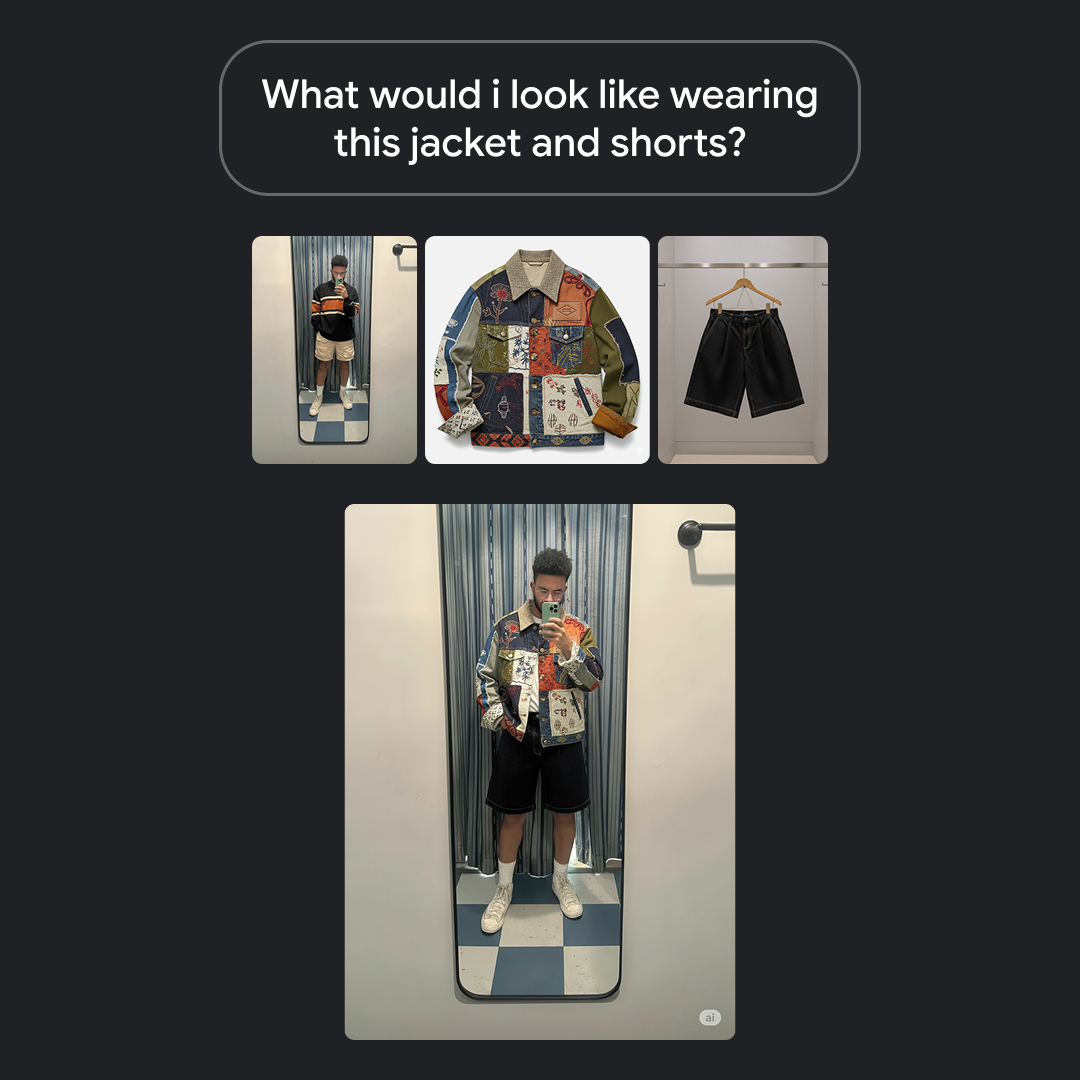
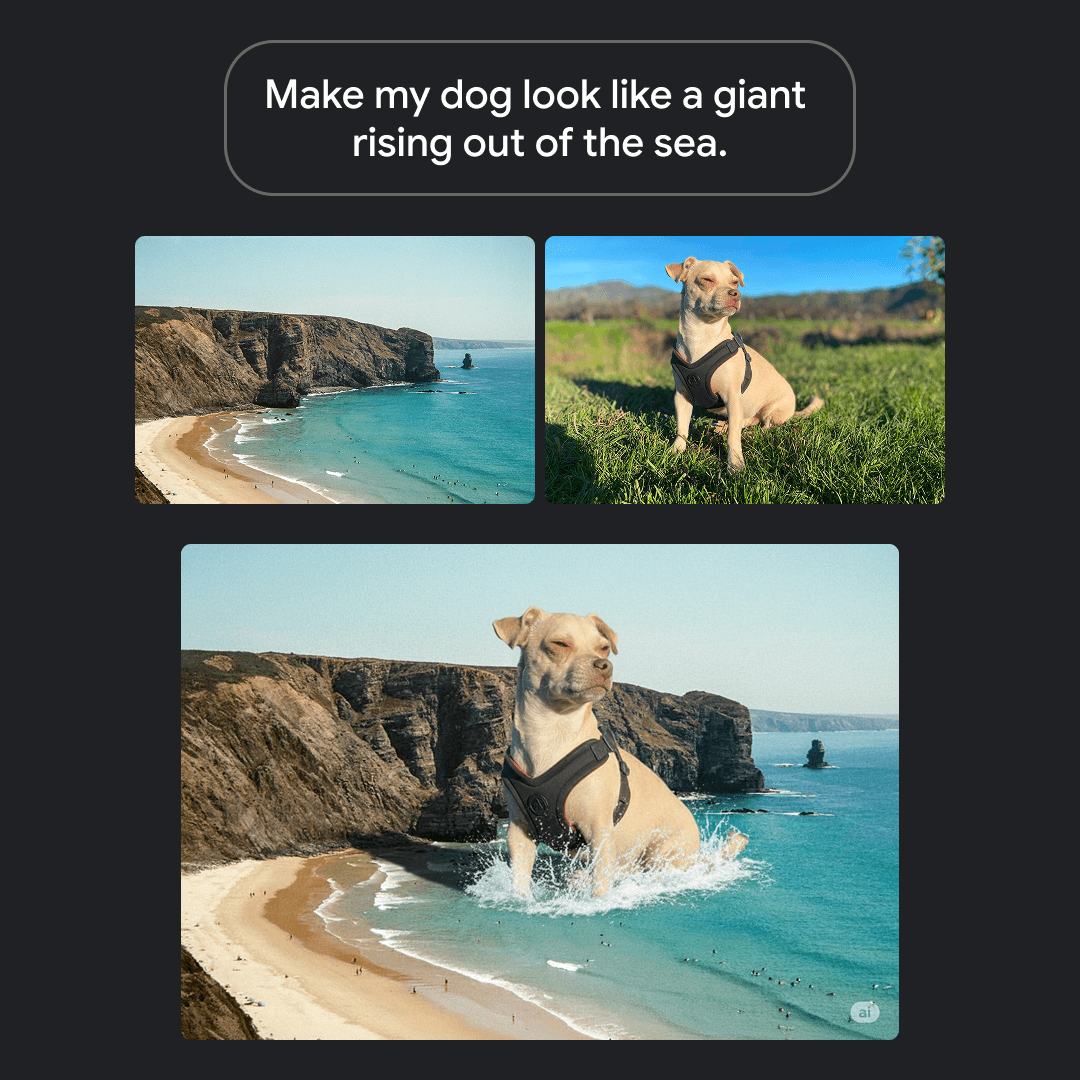
The image studio supports generating a new image from a text prompt or transforming an uploaded photo, such as changing style, swapping backgrounds, removing elements, or enhancing a sketch. Prompts are entered in a text field with a 2000-character limit.

AI Video Generation with Multiple Models

The video studio turns text prompts or still images into clips using models such as Veo 3.1, Veo 3.1 Fast, and Seedance 2.0 variants, with MiniMax H3 shown in the interface. Users set duration, resolution, and aspect ratio before generating.

Style Transfer and Art Style Control

A style transfer engine is described as transforming images across various artistic styles while keeping the character recognizable. The image page lists supported styles including photorealistic, anime, oil painting, watercolor, 3D render, pixel art, cyberpunk, line art, cinematic, logo and icon, concept art, and minimalist.

Shared Credit Balance with Refunds

One credit balance covers every image and video model, and the pricing page states that failed generations are automatically refunded. Credit costs per model are published so users can estimate how many outputs a plan yields.

Private and Public Generation Visibility

Each generation can be toggled between public and private visibility. Private images are visible only to the account owner, while public images may appear in a community showcase. Generated images are saved to account history for later access and download.

Text Rendering in Images

The image page states that some models, particularly GPT Image 2, can accurately render readable text inside generated images, which the site notes is useful for infographics, posters, memes, and signage.

MADE FOR YOUR WORKFLOW

Where it fits into your day

USE CASE 01

Consistent Character Art for Comics and Storytelling

Writers and storytellers can upload a character reference and generate the same character across multiple poses, scenes, and styles, which the site suggests for book covers, character portraits, world-building scenes, comic strips, and storyboards.

USE CASE 02

Marketing and Social Media Visuals

Marketers and content creators can generate social media graphics, ad banners, blog thumbnails, and campaign visuals from text prompts, and can produce vertical 9:16 video clips for TikTok, Instagram Reels, and YouTube Shorts.

USE CASE 03

E-Commerce Product Imagery and Video

E-commerce sellers can create product images, lifestyle shots, promotional banners, and product or lifestyle video clips at scale without a photographer or production crew, as described on the image and video pages.

USE CASE 04

Game and UI Concept Prototyping

Game and UI designers can rapidly prototype characters, environments, and interface assets, exploring multiple design directions before committing to production, with stylistic consistency maintained across generations.

USE CASE 05

Photo Restoration and Creative Transformations

The site lists dedicated resources for restoring old photos, repairing damage, enhancing vintage pictures, transforming anime characters into photorealistic cosplay, and changing clothing on people in photos.

YOUR FIRST STEPS

From first click to first result

Try it on the official website
  1. Sign in and open a studio

    Sign in to the platform, then choose the AI Image or AI Video studio from the navigation. The image studio offers Text to Image and Image to Image modes; the video studio offers Text to Video and image-based generation.

  2. Provide a prompt or reference

    Write a natural-language description of the desired image or video in the prompt field (up to 2000 characters for images, 2500 for video), or upload a reference image or character photo to guide generation.

  3. Choose a model and settings

    Select an AI model such as GPT Image 2, Nano Banana Pro, Midjourney V8.1, Veo 3.1, or a Seedance variant, then adjust settings such as resolution (for example 1K or HD), aspect ratio, duration, and output count.

  4. Generate and review

    Click Generate to produce the output. Most image requests complete in 5-30 seconds and video requests in one to three minutes, depending on model and resolution. Results appear in My Creations.

  5. Download or share

    Download the finished image or video in the preferred format, or share it directly. Set each generation's visibility to private or public as needed.

PLAN YOUR NEXT STEP

A plan for the way you work

Credit-based subscription and pay-as-you-go plans: Starter, Standard, and Premium, each available as one-time, monthly, or yearly purchase, with yearly plans receiving an automatic 10% discount. Credits are shared across all image and video models and remain valid for 12 months on yearly plans.

Subscribe on the tool's website

PLAN

Starter

Entry plan for occasional image and video creation. Includes 1,200 credits valid for one year on the yearly option, no watermark, commercial use, faster generation speed, priority support, and private generations.

  • 1,200 credits (yearly)
  • No watermark
  • Commercial use
  • Faster generation speed
  • Priority support
  • Private generations
View plan on website

PLAN

Standard

Marked as popular and described as best for regular multi-model workflows. Includes 3,600 credits valid for one year on the yearly option, no watermark, commercial use, faster generation speed, priority support, and private generations.

  • 3,600 credits (yearly)
  • No watermark
  • Commercial use
  • Faster generation speed
  • Priority support
  • Private generations
View plan on website

PLAN

Premium

Plan for high-volume image and video production. Includes 8,160 credits valid for one year on the yearly option, no watermark, commercial use, faster generation speed, priority support, and private generations.

  • 8,160 credits (yearly)
  • No watermark
  • Commercial use
  • Faster generation speed
  • Priority support
  • Private generations
View plan on website

Prices, usage limits and terms can change. Confirm the latest details on the tool's official website before subscribing.

Plan prices, credit amounts, and per-model credit costs are taken from the official pricing page. The site also displays a limited-time 10% yearly discount banner; the discounted yearly figures shown on the page are reflected in the plan entries.

A FEW MORE THINGS

Good questions. Useful answers.

More on the official website

What is Nana Banana Pro?

It is an AI image editing and generation platform that specializes in character consistency. Using multimodal AI, it edits and creates images while keeping a character's face and features identical across different poses, expressions, and styles. It also offers AI video generation with models such as Veo 3.1.

Do I need technical or design skills to use it?

No. The site states that users simply upload a character reference, describe the desired scene in plain language, and let the AI handle the rest. It is described as designed for creators of all skill levels.

Which AI models are available?

For images, the platform lists GPT Image 2.5 (Flare and Sunburst), GPT Image 2, Nano Banana Pro, Nano Banana 2, Nano Banana, and Midjourney V8.1. For video, it lists Veo 3.1, Veo 3.1 Fast, Seedance 2.5, Seedance 2.0, Seedance 2.0 Fast, and Seedance 2.0 Mini, with MiniMax H3 shown in the video studio.

How long does generation take?

The site states most images are ready in 30 seconds or less, with the image FAQ giving a range of 5-30 seconds depending on model and resolution. Video requests typically complete in one to three minutes depending on model, duration, and resolution.

Can I use the generated images and videos commercially?

The site states that images and videos created on Nana Banana Pro can be used for personal and commercial projects, and that users retain full rights to their images. It also notes that outputs follow the respective underlying model's usage policy, such as OpenAI's policy for GPT Image 2, Midjourney's terms for Midjourney outputs, and Google's usage terms for Veo 3.1.

How does pricing and the credit system work?

Plans are credit-based, with Starter, Standard, and Premium tiers available as one-time, monthly, or yearly purchases. One credit balance is shared across every image and video model, and different models consume different numbers of credits per generation. Yearly plans receive an automatic 10% discount and credits remain valid for 12 months.

Are failed generations charged?

No. The pricing page states that failed generations are automatically refunded to the credit balance.

Is Nana Banana Pro affiliated with Google?

No. The site states that Nana Banana Pro is an independent brand and is not affiliated with, endorsed by, or an official product of Google, even though it uses models such as Google Gemini Flash Image and Veo 3.1.

FROM THE COMMUNITY

What has your experience been?

FEATURED BADGE

Embed "Featured on ToolAI.io" Badge

Featured on ToolAI.io

YOUR NEXT DISCOVERY

More tools to explore

Explore all tools

MAKE YOUR NEXT MOVE

Ready to explore Nana Banana Pro?

Visit the official website to explore the latest features and get started.

Visit official website
Nana Banana Pronanabanana.pro
Visit website

GALLERY

PASS IT ALONG

Share Nana Banana Pro