
Work and chat modes
Vibe Work delegates complex, multi-step productivity tasks, while Vibe Chat preserves the turn-based conversational experience associated with Le Chat.

TOOL PROFILE TOOLAI
A unified AI assistant and coding agent for professional work.
 View full image
THE BIG PICTURE
Mistral Vibe combines an AI chat assistant, productivity agent, and coding agent in one product. It is the current name for Le Chat, and existing conversations, settings, saved content, accounts, and plans carry over.
| Tool Name | Mistral Vibe |
|---|---|
| Category | AI Chatbots , Productivity |
| Pricing Model | Free supports quick answers, web search, and simple tasks. Pro adds agents, deeper reasoning, long-horizon tasks, and all-day coding. Team adds a shared workspace, administrative controls, and more storage. Enterprise offers custom deployments, model training, and dedicated support. |
| Platform & Capabilities | Web and mobile chat interfaces; Vibe Code through a command-line tool, VS Code extension, web interface, JetBrains or Zed via ACP, and remote agents. |
| Listed Date | 2026-10-28 |
| Top Alternatives | ArxivGPT , Feedback Widget by Olvy , The New Endel for Mac |
A CLOSER LOOK
Explore product screens and published examples. Open any image for a closer look.
WHAT YOU CAN DO
Get to know the capabilities. Find your own way to use them.
Vibe Work delegates complex, multi-step productivity tasks, while Vibe Chat preserves the turn-based conversational experience associated with Le Chat.
Search the web, internal documents, and connected tools to compile sourced analysis on focused topics and catch up across workplace information.
Generate and edit PDFs, board decks, strategic briefs, RFP responses, PRDs, reports, emails, updates, and announcements from research and data.
Upload spreadsheets or connect databases to identify patterns, flag anomalies, and extract useful signals from business data.
Move work between systems, trigger actions, complete multi-step processes, and package recurring workflows into reusable agents or triggered tasks.
Build multi-file features from prompts, including types, tests, and documentation, while supporting code writing, testing, deployment, and pull requests.
Reason across services, APIs, modules, project boards, and business context, while using team conventions, libraries, and standards to inform changes.
Connect with more than 100 tools, including email, calendar, Slack, GitHub, and Jira, with full MCP compatibility and Voxtral-powered voice input.
MADE FOR YOUR WORKFLOW
Ask Vibe to gather attendee context, recent news, calendar details, and relevant internal knowledge into a concise brief with talking points.
Use Vibe Code to plan a framework migration, update dependencies, generate tests, and validate staged changes across a legacy repository.
Design a workflow that routes information between connected systems, includes human checkpoints, and runs repeatedly from a trigger.
YOUR FIRST STEPS
Use the product entry point or open chat.mistral.ai with your existing Mistral login.
Use Work for delegated productivity tasks, Chat for conversational exchanges, or Code for software development.
State the deliverable, relevant context, constraints, and connected sources Vibe should use.
Add documents, spreadsheets, code repositories, or supported tools such as email, calendar, Slack, GitHub, and Jira.
Inspect the generated work or proposed actions, provide follow-up instructions, and use checkpoints where approval is needed.
TAKE A LOOK AROUND
Explore the tool's demo or video to see its interface and workflow.
PLAN YOUR NEXT STEP
Free supports quick answers, web search, and simple tasks. Pro adds agents, deeper reasoning, long-horizon tasks, and all-day coding. Team adds a shared workspace, administrative controls, and more storage. Enterprise offers custom deployments, model training, and dedicated support.
PLAN
Quick answers, web search, and simple everyday tasks.
PLAN
For complex tasks, deeper reasoning, agents, long-horizon work, and all-day coding.
PLAN
A shared workspace with administrative controls and more storage.
Prices, usage limits and terms can change. Confirm the latest details on the tool's official website before subscribing.
It is Mistral’s unified AI chat assistant and agent for professional productivity and coding tasks, combining Vibe Work, Vibe Code, and Vibe Chat.
Le Chat is now called Vibe. Existing accounts, plans, conversations, settings, and saved content move to Vibe.
Yes. Voice input is powered by Voxtral.
Yes. It integrates with more than 100 tools, including email, calendar, Slack, GitHub, and Jira, through connectors and full MCP compatibility.
Install the CLI from a terminal, use the VS Code extension, launch through the web interface, use JetBrains or Zed via ACP, or start remote coding tasks directly in Vibe.
Enterprise customers can deploy it on-premises, in a private cloud, or on Mistral Cloud with full data residency.
FROM THE COMMUNITY
Sign in to share your experience and help others find the right tool.
FEATURED BADGE

YOUR NEXT DISCOVERY

A Chrome Extension to summarize a arXiv paper and get insights.
A Feedback Widget that goes beyond the classic text input, Olvy leverages AI and GPT-3 to give you actionable insights, and then close the user feedback loop wherever your users are.
We’ve made your favorite productivity tool more productive: it’s now blazing fast and battery-efficient. Designed to minimize distractions, the new streamlined, discreet interface helps you to stay focused on the task at hand.
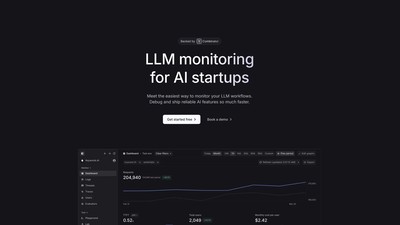
Keywords AI is an LLM monitoring platform designed specifically for AI startups, providing a unified developer platform to build, deploy, and monitor AI applications, known as the Datadog for LLM applications.
MAKE YOUR NEXT MOVE
Visit the official website to explore the latest features and get started.