Prompts
LowTech AI
We’re building artificial intelligence tools for everyone to ensure non tech-savy people are safely uplifted by the productivity, creativity, and wonder AI tools have to offer. Our first product allows for dead simple sharing and using of the best prompts!
About this tool
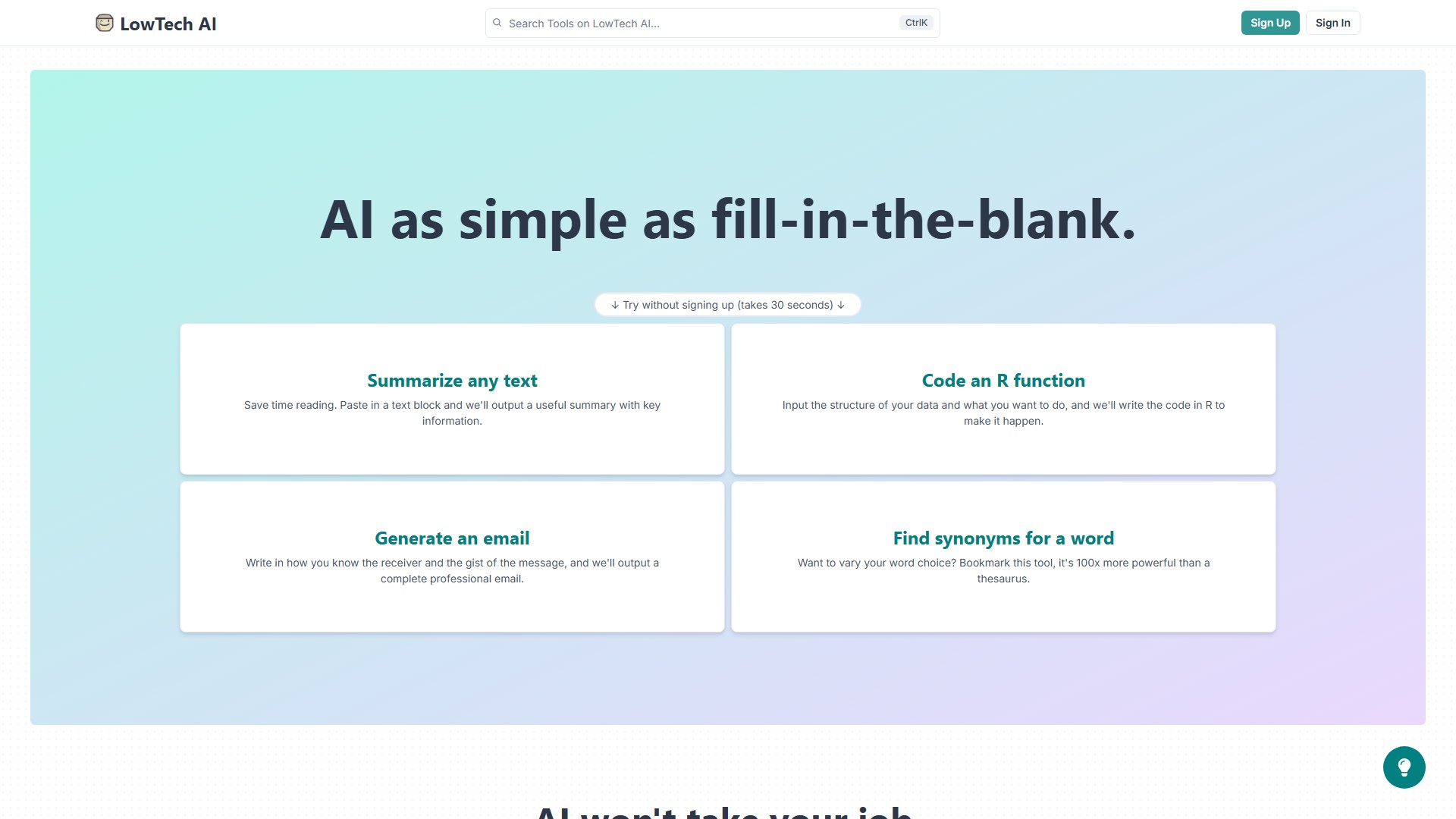
Main Features & Characteristics: LowTech AI provides superhuman abilities from fill-in-the-blank inputs. Users don't need to learn what to do or what's possible; they just follow the directions. The platform supports flexible tool creation—if you can write a sentence, you can make an AI tool from scratch or easily improve an existing tool. It also features zero friction sharing: go from link to powerful AI in seconds with no sign-up required to interact, making it easy to share with friends and co-workers.
Target Users & Core Advantages: Target users include people doing brainstorming, planning, writing, emailing, editing, parsing, analyzing, summarizing, or most other thoughtful work. The core advantage lies in ultimate ease of use and efficiency gains. A study from MIT showed that people who used AI tools in their work were 2x as productive, more accurate, and found their work more fulfilling.
Typical Use Cases:
- Text Summarization: Summarize 5 pages of text into 5 sentences, extract key information.
- Code Generation: Input data structure and needs to write an R function, debug a block of code in any language, write code for a HubSpot integration.
- Email Drafting: Input how you know the receiver and the gist of the message to generate a complete professional email, analyze your email for tone and sentiment.
- Writing & Paraphrasing: List 15 ways to rephrase a sentence, find 10 creative synonyms for a word, improve a memo to make it more succinct.
- Meeting & Sales: Scan meeting notes for action items, draft an outline for a sales call, role play with a sales prospect, generate a description for a meeting.
- Marketing & SEO: Generate ideas for a marketing campaign, generate 10 tweets about a blog post, list 10 SEO keywords for a topic, generate tagline ideas for a product.
- HR & Job Seeking: Scan a resume for key attributes, write a college rec for a stellar student.
- Creative & Lifestyle: Generate a backstory for a fictional character, write a bio for a Tinder profile, draft a letter to your landlord, draft a speech for a wedding, write lyrics for a new song.
- Learning & Analysis: Analyze a LinkedIn profile, analyze a legal ruling for key points, learn more about carbon accounting, clarify your understanding of The Constitution, list ways a person could fight climate change, find great quotes to add to your presentation, generate a lesson plan about biology.
Usage & Pricing Information: You can try tools without signing up (takes 30 seconds). The page does not explicitly list specific pricing models or fee details, but currently emphasizes that no sign-up is required to interact. Creating tools requires signing up for an account.
Traffic analysis
Traffic, ranking, and engagement signals for this tool.
No analytics data yet
Interface preview