
Single universal agent
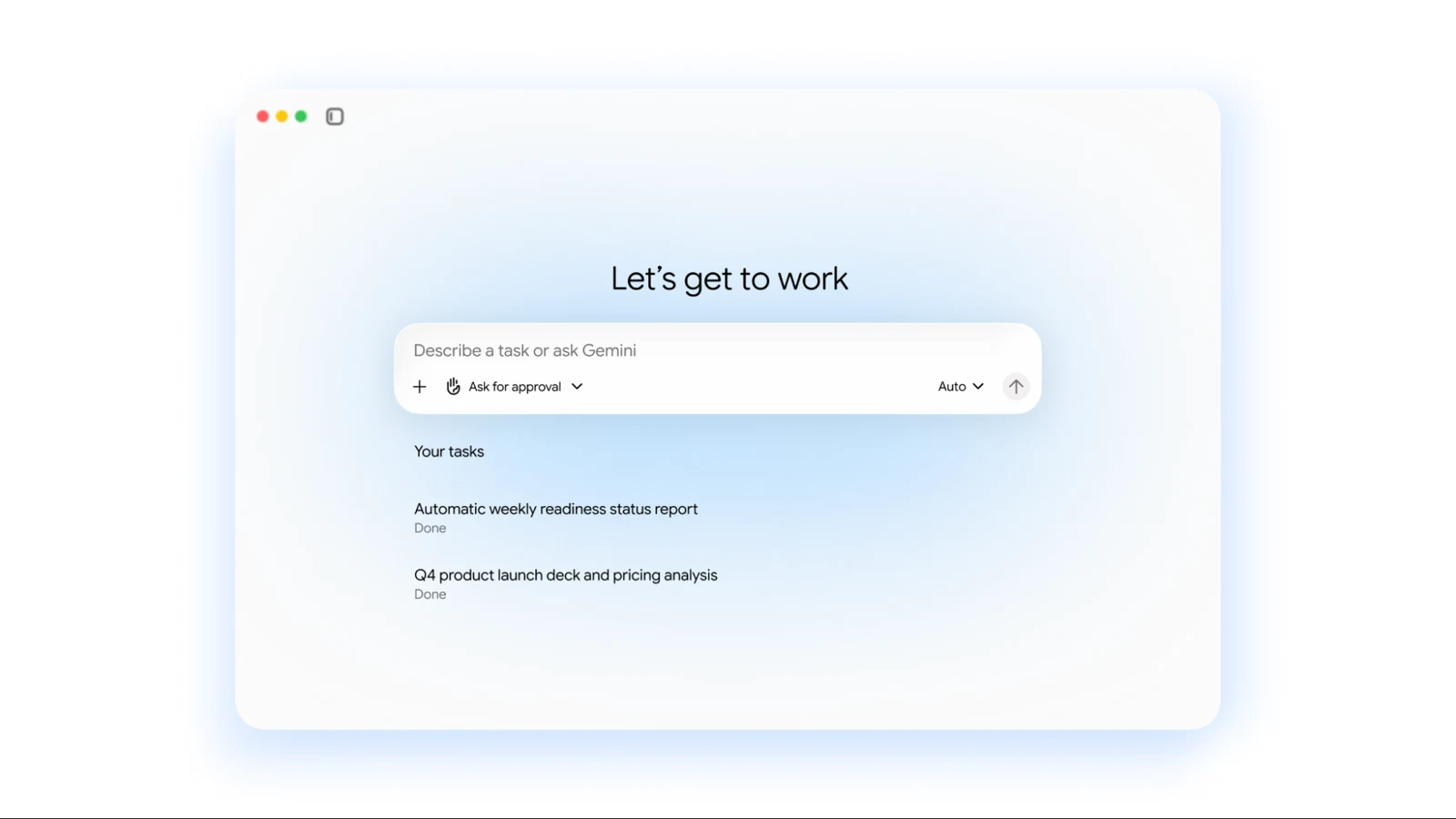
Gemini answers questions, handles knowledge work, creates media, and writes or runs code through one agent and one prompt-driven interface.

TOOL PROFILE TOOLAI
One universal work agent for email, documents, code, data, and business applications.
 View full image
THE BIG PICTURE
Gemini agent is Google Cloud's universal work agent for questions, documents, media, code and business data. It connects company tools and uses shared context to help teams carry work from a request through to a deliverable.
The product includes enterprise permissions, audit trails and spending controls. Multi-step background delegation, mobile and desktop access, and third-party model choice are early-access capabilities; financial-services and legal specializations are in preview.
A CLOSER LOOK
Explore product screens and published examples. Open any image for a closer look.
WHAT YOU CAN DO
Get to know the capabilities. Find your own way to use them.
Gemini answers questions, handles knowledge work, creates media, and writes or runs code through one agent and one prompt-driven interface.
Session, semantic, procedural, and episodic memory help Gemini retain tasks, business knowledge, workflows, and prior actions across devices and channels.
Gemini connects with Workspace, Microsoft 365, Slack, GitHub, Jira, Salesforce, ServiceNow, BigQuery, databases, files, and MCP servers.
Reusable skills package instructions, knowledge, and workflows, while shared registries let teams publish custom skills and tools for organizational use.
Gemini can create temporary sub-agents for parallel or sequential work and coordinate persistent coworker agents with defined roles and identities.
Gemini works inside Gmail, Drive, Docs, Slides, Sheets, Chat, and Calendar, carrying shared memory, skills, permissions, and controls into each surface.
Users can request reports in plain language while Gemini uses Knowledge Catalog, generates SQL, Spark, or Python, runs analysis, and creates visualizations.
Agent identities, role-based permissions, audit trails, sandboxing, Agent Gateway policies, smart routing, and project-level spend caps support controlled deployment.
MADE FOR YOUR WORKFLOW
Ask Gemini to gather project information from email, documents, calendars, and collaboration tools, then produce a status report or presentation for stakeholders.
Register relevant datasets, define business terms in Knowledge Catalog, and ask Gemini to generate queries, calculate results, and build charts for recurring operational reporting.
Describe an outcome such as diagnosing a pipeline issue or preparing an analysis; Gemini can generate code, provide editable notebooks, and coordinate supporting tasks.
YOUR FIRST STEPS
Contact Google Cloud sales for business access or begin the stated 30-day no-cost Gemini Enterprise Plus trial without sales assistance.
Select the business applications, repositories, databases, files, and collaboration tools Gemini should use, while retaining data in its existing locations where supported.
Set role-based access, agent identities, sharing boundaries, audit requirements, and Agent Gateway policies before delegating work.
Organize relevant context and add reusable skills or tools that describe departmental procedures, definitions, and multi-step workflows.
Start with a clear report, analysis, document, or coding outcome, then review the generated result, activity record, and project spending.
TAKE A LOOK AROUND
Explore the tool's demo or video to see its interface and workflow.
PLAN YOUR NEXT STEP
Business access is arranged through Google Cloud sales. Gemini Enterprise Plus offers a 30-day no-cost trial.
PLAN
A no-cost trial of Gemini Enterprise Plus for evaluating business workflows.
30-day no-cost trial
PLAN
A sales-led option for enterprise deployment and connected business data.
Contact sales
Prices, usage limits and terms can change. Confirm the latest details on the tool's official website before subscribing.
It is a universal work agent that operates across email, documents, code, data, and business applications from a shared prompt-driven experience.
No. The product page says Gemini indexes selected sources while keeping data where it lives, with access following existing user permissions.
Listed integrations include Google Workspace, Microsoft 365, Slack, Confluence, Notion, Jira, Linear, Monday, Asana, GitHub, GitLab, Salesforce, HubSpot, ServiceNow, DocuSign, and BigQuery.
Gemini uses session, semantic, procedural, and episodic memory spanning active work, structured knowledge, workflows, and previous actions.
Yes. Administrators can set project-level spending caps in Cloud Billing Console; when a cap is reached, the project’s agent pauses.
No. Some capabilities are identified as early access, including multi-step background delegation, mobile and desktop access, and third-party model choice. Financial Services and Legal specializations are described as preview.
FROM THE COMMUNITY
Sign in to share your experience and help others find the right tool.
FEATURED BADGE

YOUR NEXT DISCOVERY

WolongAI is an AI Chief of Staff for busy builders, helping them make faster, more informed decisions.

Creasquare is an Al-powered platform, that makes it easy to create graphic designs, videos and copywriting content. Schedule your content all your social media platforms, all in one place.

Ai Powered Online Whiteboard, Ai Workspace Canvas Product Summary/Description: Jeda.ai is an all-in-one Generative AI Workspace to create visual content, collaborate, and brainstorm product, marketing, and sales strategies in real-time using Jeda AI. Maximize productivity with Jeda AI Online Whiteboard. With the help of Jeda Ai tool
VendorPilot by Bendi is a leading AI-driven platform designed to streamline and automate supplier information requests, enabling companies to efficiently handle supplier compliance and onboarding. It leverages pre-existing data to auto-populate surveys for quick, accurate, and effortless data collection.
MAKE YOUR NEXT MOVE
Visit the official website to explore the latest features and get started.