TOOL PROFILE TOOLAI

Describe Image

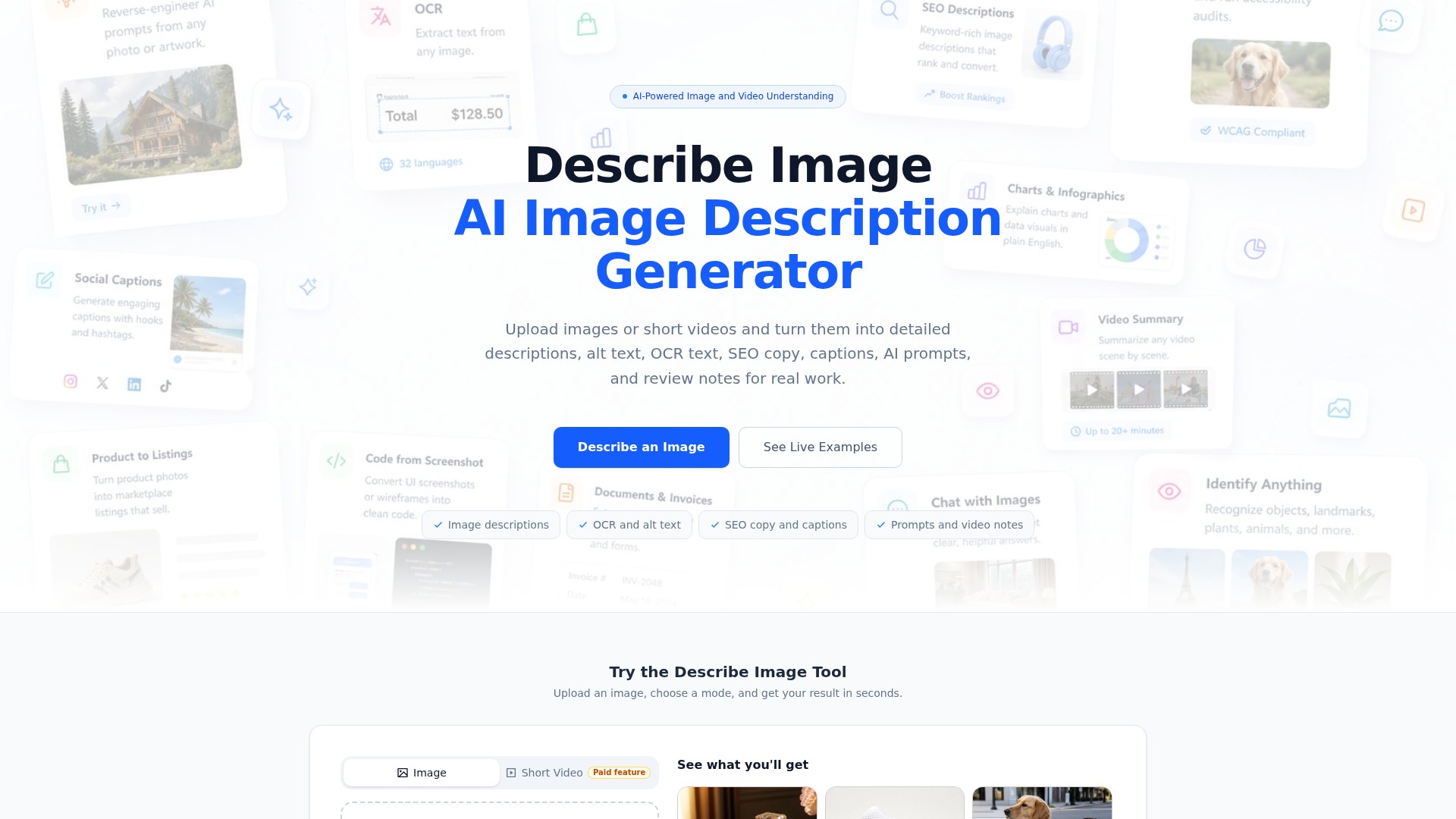
AI-powered image and video understanding that turns uploads into descriptions, OCR, alt text, SEO copy, prompts, and review notes.

describeimage.ioPRODUCT PREVIEW
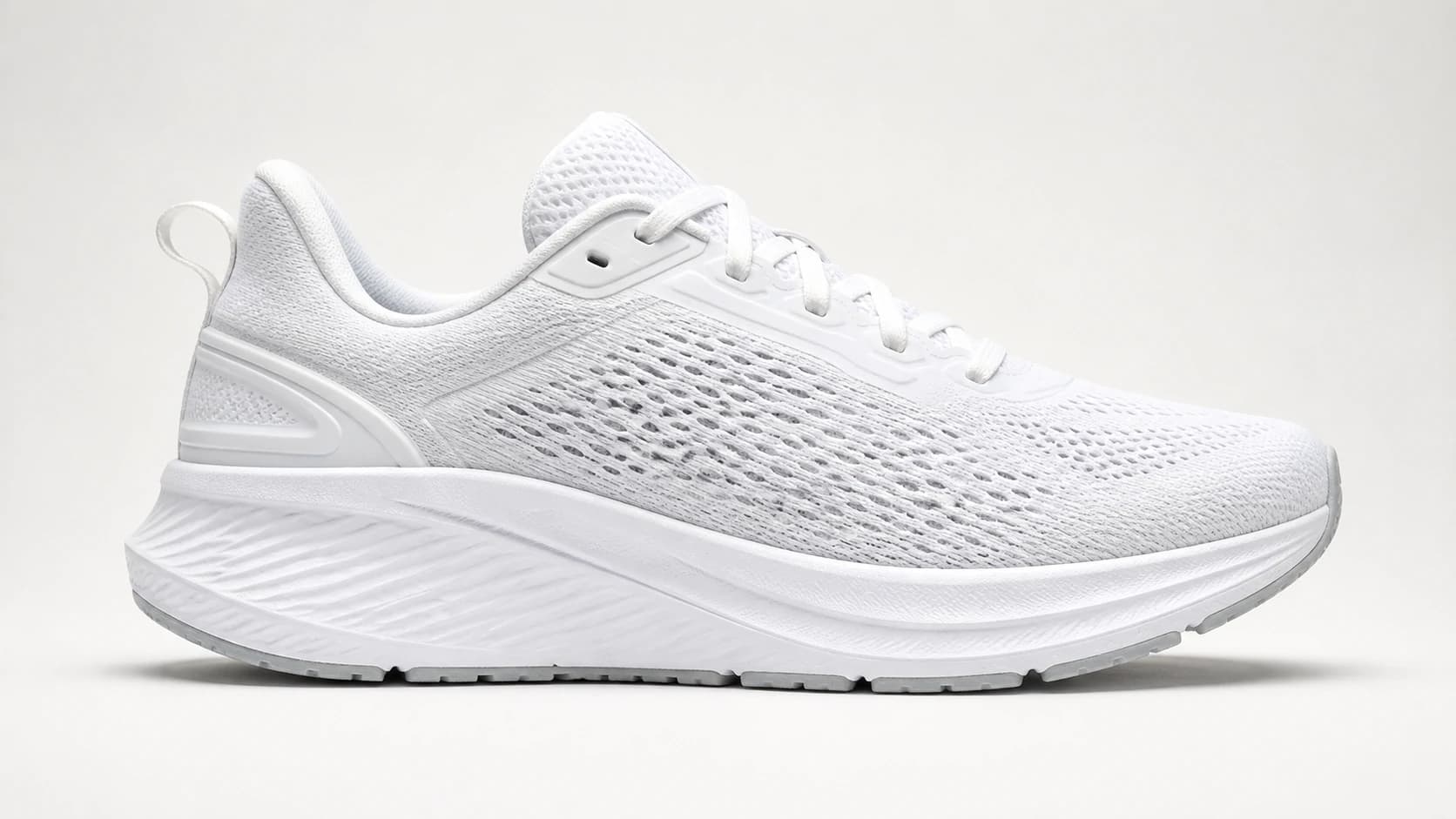
Official example input image, supplied to illustrate the tool. This is not a generated result. View full image
Official example input image, supplied to illustrate the tool. This is not a generated result.Images: 3

THE BIG PICTURE

About Describe Image

Describe Image is a browser-based AI tool that analyzes images and videos and produces written output in a range of formats. According to the official site, a user uploads an image, selects a mode, and receives a result in seconds that can be reviewed and copied into content, product pages, or accessibility workflows. The homepage lists output categories including image descriptions, OCR and alt text, SEO copy and captions, prompts, and video notes, and states that basic image generation can be tried without signing in.

The product is organized around distinct output modes rather than a single generic caption. The site names dedicated tools such as Describe Image, Chat with Image, Chat with Video, Alt Text Generator, Image to Prompt, Screenshot to Text, Product Image Description, Image to Excel, and Product Description Generator. The homepage presents sixteen example prompts and outputs covering image-to-prompt conversion, SEO metadata, WCAG-oriented alt text, marketplace listing copy, receipt OCR with layout preservation, dashboard chart analysis, social captions, and UI-screenshot-to-frontend-code planning.

A recurring theme in the official material is separating what is visibly present in an image from facts that require confirmation. The product image description page explicitly structures results into visible features and a "Confirm Before Publishing" checklist, and states that exact materials, measurements, capacity, compatibility, ingredients, certifications, warranty, and performance claims should be verified by the seller.

WHAT YOU CAN DO

A toolkit worth exploring

Get to know the capabilities. Find your own way to use them.

Multi-mode image description

The core tool accepts an image upload, lets the user choose a mode, and returns a result in seconds. The homepage lists image descriptions, OCR and alt text, SEO copy and captions, prompts, and video notes as available output categories, and states that basic image generation can be tried without signing in.

Alt text and accessibility output

A dedicated Alt Text Generator produces short alt text (the example keeps it under 125 characters) plus a longer screen-reader description, a decorative-image recommendation, and an accessibility audit note. The example output explains why the alt text is suitable and flags important visual context that should not be omitted.

OCR with layout preservation

The OCR and layout mode extracts full text from images such as receipts and preserves the document structure, including header, transaction details, itemized list, subtotal, tax, total, and payment information. The example output also lists key fields and values, important dates and totals, a clean summary, and any unclear or partially readable text.

Image to AI generation prompt

The Image to Prompt mode converts a reference image into a structured prompt covering a short description, subject, visual style, lighting and mood, camera angle and composition, color palette, and a final copy-ready prompt intended for tools such as Midjourney, DALL-E, Stable Diffusion, or Flux.

SEO metadata generation

The SEO Metadata mode produces an SEO image title, alt text under 125 characters, a keyword-rich image description, a suggested filename, a set of relevant image keywords, and a short webpage caption, as shown in the product photo example.

Product image description with confirmation checklist

The Product Image Description tool accepts up to five unordered views of the same product and combines them into one result. Output separates visible features from a "Confirm Before Publishing" list covering details such as reversible seat direction, wheel type, folding mechanism, and included accessories.

Chart and dashboard analysis

The chart analysis mode explains a dashboard or chart in plain English, covering what the visual shows, the main trend, key numbers and comparisons, outliers, an executive summary, and simple takeaways for a non-technical reader.

Social caption generation

The social caption mode produces platform-specific captions for Instagram, X/Twitter, LinkedIn, and TikTok-style posts, plus a hashtag list and alternative playful and premium brand-style versions, as demonstrated in the iced-coffee example.

UI screenshot to frontend code planning

The UI to Code mode analyzes a UI screenshot and returns a layout breakdown, a list of main UI components, suggested HTML structure, and an implementation plan, as shown in the Nexora dashboard example.

Chat with Image and Chat with Video

Chat with Image lets users ask detailed follow-up questions about a photo, screenshot, chart, receipt, or document, and requires sign-in with credits used per message. Chat with Video supports timeline-based questions about scenes, actions, visible text, and changes across a video clip, and is listed as a paid-plan feature.

MADE FOR YOUR WORKFLOW

Where it fits into your day

USE CASE 01

Accessibility alt text for web images

Writers and developers can generate short alt text plus a longer screen-reader description for images such as photos of people, animals, or products, then review the accessibility audit note before publishing. The example shows a guide-dog photo with alt text kept under 125 characters.

USE CASE 02

Ecommerce and marketplace listing drafts

Sellers can upload one to five product views and receive a factual description, visible feature list, and a checklist of details to confirm, such as exact materials, dimensions, and included accessories. The site positions this as a first draft to be combined with verified seller facts before publishing to Shopify, Amazon, Etsy, or eBay.

USE CASE 03

Receipt, invoice, and form data extraction

The OCR mode can turn a receipt image into structured text with preserved layout, key fields, totals, tax rate, payment method, and approval code, which can support expense tracking or record-keeping. The example also flags a typographical error in the source receipt.

USE CASE 04

SEO metadata for image-heavy pages

Content teams can generate an SEO image title, keyword-rich description, suggested filename, keywords, and a short caption from a product photo, then adapt the wording to the destination page.

USE CASE 05

Chart and dashboard summarization

Analysts or managers can upload a dashboard screenshot and receive a plain-English breakdown of trends, key metrics, outliers, and takeaways suitable for a non-technical audience.

USE CASE 06

Prompt creation from reference images

Designers and generative-AI users can convert a reference image into a structured prompt with style, lighting, composition, and subject details, then reuse or adapt it in image generation tools.

YOUR FIRST STEPS

From first click to first result

Try it on the official website
  1. Open the tool and upload an image

    Go to describeimage.io and use the Describe Image tool. Upload an image in JPG, PNG, WebP, or GIF format, up to 15MB each. The product image description tool accepts up to five unordered views of the same product in one task.

  2. Choose an output mode

    Select the mode that matches your goal, such as general image description, alt text, SEO metadata, OCR and layout, image to prompt, product image description, chart analysis, social caption, or UI to code.

  3. Add optional context and set the output language

    On the product image description tool, you can add verified product facts in an optional field (up to 1500 characters) and choose the output language from a selector. The FAQ index also lists a custom prompt box and output language selection as topics.

  4. Generate and review the result

    Run the task and review the returned text. For product descriptions, check the visible features against the "Confirm Before Publishing" list and remove any statement not supported by the image or verified product data.

  5. Copy, edit, or save the output

    Copy the result into your content, product page, or accessibility workflow. Signed-in users can optionally save results to My Descriptions for later reuse.

PLAN YOUR NEXT STEP

A plan for the way you work

Free plan at $0 forever with daily check-in credits (+10), a 7-day streak bonus (+20), and up to 380 credits per month, limited to Model 1.0 image modes with credits expiring in 24 hours. Paid annual plans: Basic at $95.99 per year (9,600 credits/year, 800/month average), Pro at $185.99 per year (20,400 credits/year, 1,700/month average), and Studio at $459.99 per year (55,200 credits/year, 4,600/month average). Monthly and one-time billing options are also referenced on the pricing page.

Subscribe on the tool's website

PLAN

Free Plan

Free forever plan for light image description, OCR, alt text, and prompt work. Includes daily check-in credits (+10), a 7-day streak bonus (+20), up to 380 credits per month, Model 1.0 image modes with credits, standard queue, and optional save to My Descriptions for signed-in users. Credits expire in 24 hours; video tools and Model 2.0 require a paid plan.

  • Daily check-in: +10 credits
  • 7-day streak bonus: +20 credits
  • Up to 380 credits / month
  • Model 1.0 image modes with credits
  • Chat with Image requires sign-in and uses credits per message
  • Credits expire in 24 hours
  • Standard queue
  • Optional save to My Descriptions
View plan on website

PLAN

Basic

Annual plan described as best value for regular image and video workflows. Billed $95.99 per year, with 9,600 credits for the year (800 credits per month average), Model 2.0 available, all 11 output modes unlocked, video descriptions and Chat with Video included, daily check-in credits, optional save to My Descriptions, and email support.

95.99

per year

  • 9,600 credits for the year
  • 800 credits per month average
  • Model 2.0 available
  • All 11 output modes unlocked
  • Video descriptions and Chat with Video included
  • Daily check-in credits
  • Optional save to My Descriptions
  • Email support
View plan on website

PLAN

Pro

Annual plan described as best value for frequent creators. Billed $185.99 per year, with 20,400 credits for the year (1,700 credits per month average), Model 2.0 available, smarter long-form descriptions, OCR and prompt output, all output modes, longer video support, a faster processing queue, and priority email support.

185.99

per year

  • 20,400 credits for the year
  • 1,700 credits per month average
  • Model 2.0 available
  • Smarter long-form descriptions, OCR, and prompt output
  • All output modes
  • Longer video support
  • Faster processing queue
  • Priority email support
View plan on website

PLAN

Studio

Annual plan for professionals who create visual text at scale. Billed $459.99 per year, with 55,200 credits for the year (4,600 credits per month average), Model 2.0 available, more reliable complex-image and batch review output, batch upload, long video support, larger file uploads, a priority processing queue, and dedicated support.

459.99

per year

  • 55,200 credits for the year
  • 4,600 credits per month average
  • Model 2.0 available
  • More reliable complex-image and batch review output
  • Batch upload
  • Long video support
  • Larger file uploads
  • Priority processing queue
  • Dedicated support
View plan on website

Prices, usage limits and terms can change. Confirm the latest details on the tool's official website before subscribing.

The listed amounts are annual prices from the official pricing page. Check that page for current monthly and one-time options, included credits and billing terms.

Sources checked

A FEW MORE THINGS

Good questions. Useful answers.

More on the official website

What can Describe Image do with an uploaded image?

The homepage lists image descriptions, OCR and alt text, SEO copy and captions, prompts, and video notes as output categories. Dedicated tools include Describe Image, Chat with Image, Chat with Video, Alt Text Generator, Image to Prompt, Screenshot to Text, Product Image Description, Image to Excel, and Product Description Generator.

What file types and size limits apply?

The Product Image Description tool accepts JPG, PNG, WebP and GIF files up to 15MB each. It can combine one to five views of the same product. Check the selected tool's current upload requirements for other workflows.

How many credits do tasks cost?

The product image description tool shows a Fast analysis option at 2 credits using Model 1.0 and a Detailed option at 4 credits using Model 2.0. The pricing page describes credit allowances per plan, and the free plan provides up to 380 credits per month with credits expiring in 24 hours.

What is the difference between Model 1.0 and Model 2.0?

The provider describes Model 2.0 as improving detail recognition in complex images. It is available on the paid plans, while the free plan uses Model 1.0 image modes. Video tools also require a paid plan.

Can I use the generated text commercially?

Check the provider's current terms for commercial-use permission. Before publishing product copy, review every claim and supply verified specifications rather than relying on inferred details.

Are uploaded files private?

Review the provider's current privacy policy and file-handling terms before uploading sensitive images or videos.

Does the tool invent product specifications?

The product image description page states that the workflow asks the model to separate visible observations from details needing confirmation, and that users should still review the result and remove any statement unsupported by the image or verified product data. It also notes AI may describe a surface as leather-like or wood-look but cannot reliably confirm exact composition.

Can I describe multiple images at once?

The Product Image Description tool can combine up to five views of one product into a single result. The views do not need to be arranged in a particular order. Check the selected workflow for its current upload limits.

How do I get a better image description?

The product image description page recommends starting with a clear primary image where the whole product is visible and well lit, adding side, back, interior, packaging, or detail views in the same task, adding facts the photo cannot prove, and reviewing every claim before publishing.

What should I do if the result is wrong or too vague?

Review the output against the source image, remove unsupported guesses and adapt the wording for its destination. For product content, add verified specifications instead of treating inferred details as facts.

FROM THE COMMUNITY

What has your experience been?

YOUR NEXT DISCOVERY

More tools to explore

Explore all tools

MAKE YOUR NEXT MOVE

Ready to explore Describe Image?

Visit the official website to explore the latest features and get started.

Visit official website
Describe Imagedescribeimage.io
Visit website

GALLERY

PASS IT ALONG

Share Describe Image