

Prompt-to-visual creation
Describe a visual idea in conversation and Claude builds a first version you can react to, refine, and turn into a design, mockup, one-pager, or presentation.

TOOL PROFILE TOOLAI
Turn ideas into on-brand designs, prototypes, slides, and visual work with Claude.
 View full image
THE BIG PICTURE
Claude Design is a design workspace inside Claude for turning descriptions, files, codebases, and existing design systems into visual work. It can create first versions of one-pagers, mockups, presentations, marketing assets, and interactive prototypes that you can refine conversationally.
| Tool Name | Claude Design |
|---|---|
| Category | Design assistant , Presentations |
| Pricing Model | Claude Design is included with Claude plans, including the Free plan. Usage counts toward the applicable Claude plan limits; extra usage can be enabled beyond those limits. |
| Platform & Capabilities | Claude conversations, the Artifacts tab, Claude Code on desktop or in the terminal, and the standalone claude.ai/design site during its transition period. |
| Listed Date | 2026-10-27 |
| Top Alternatives | Figma AI , LogoStoreAI , 园丁提词器 |
A CLOSER LOOK
Explore product screens and published examples. Open any image for a closer look.
WHAT YOU CAN DO
Get to know the capabilities. Find your own way to use them.
Describe a visual idea in conversation and Claude builds a first version you can react to, refine, and turn into a design, mockup, one-pager, or presentation.
Import design systems from GitHub, design files, or uploads so Claude can use real colors, typography, tokens, and components instead of generic templates.
Turn rough concepts and static mockups into clickable, code-powered prototypes, including experiences involving voice, video, shaders, 3D, and built-in AI.
Comment on individual elements, edit text directly, adjust spacing and color with generated sliders, and drag, resize, or align items on the canvas.
Iterate through natural-language requests and ask Claude to apply changes across the full design, while preserving the visual direction and supplied design system.
Move a finished design into Claude Code through a packaged handoff bundle, or create, edit, and synchronize design projects using the /design command.
Share organization-scoped links privately, allow colleagues to view or edit, and collaborate with Claude together in a group conversation.
Export work as PDF, PPTX, HTML, or a folder, and send designs to connected destinations including Adobe, Canva, Gamma, Lovable, Miro, Replit, Vercel, and Wix.
MADE FOR YOUR WORKFLOW
Describe a proposed feature, import the existing design system, and create several interactive directions that product and design teams can review before implementation.
Use a brief and brand materials to draft landing-page concepts, social assets, or a presentation, then export the selected direction for finishing in a connected tool.
Build an on-brand interface prototype, refine its layout and interactions, and pass the resulting design context to Claude Code for implementation work.
YOUR FIRST STEPS
Start from a Claude conversation, the Artifacts tab, Claude Code, or the Claude Design entry point.
Explain the visual, audience, content, style, and interaction you want Claude to create.
Upload relevant documents or images, connect a codebase, or bring in a design system and website elements.
Use comments, direct text edits, sliders, and conversational instructions to adjust the design.
Share an organization link, export to a supported format, send the work to a connector, or hand it to Claude Code.
TAKE A LOOK AROUND
Explore the tool's demo or video to see its interface and workflow.
PLAN YOUR NEXT STEP
Claude Design is included with Claude plans, including the Free plan. Usage counts toward the applicable Claude plan limits; extra usage can be enabled beyond those limits.
PLAN
Claude Design is included and uses the plan's Claude usage limits.
PLAN
Included with these Claude subscriptions and their usage allowances. Organization administrators can manage Artifacts access.
Prices, usage limits and terms can change. Confirm the latest details on the tool's official website before subscribing.
It is available inside Claude conversations, the Artifacts tab, and Claude Code on desktop or in the terminal. The standalone claude.ai/design site remains available during the transition.
You can import images, DOCX, PPTX, and XLSX files, design files, GitHub repositories, local codebases, and elements captured from a website.
Yes. You can bring in one or more systems from a repository, design files, or uploads. Admins can approve one standard system and lock team edits.
The listed connectors include Adobe, Canva, Gamma, Lovable, Miro, Replit, Vercel, and Wix. Work can also be exported as PDF, PPTX, or HTML.
The product page states that Claude Design, Claude Slides, and Claude Docs are included in every plan, including Free. Work still counts toward plan usage limits.
Use the Claude Code handoff from a completed design, or ask Claude Code to create and synchronize a project with /design.
FROM THE COMMUNITY
Sign in to share your experience and help others find the right tool.
FEATURED BADGE

YOUR NEXT DISCOVERY
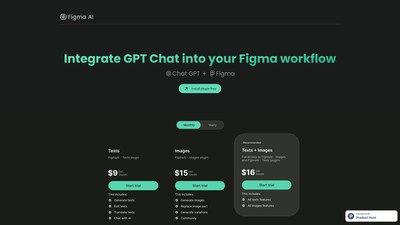
Figma AI is a plugin for Figma that leverages the power of ChatGPT to edit and write text. With the ability to edit multiple texts simultaneously, the free version of Figma AI is a must-have for designers.
Extensive library of AI-generated logos for businesses and individuals looking to find stunning, unique logos to elevate your brand.
YuanDing Teleprompter is a computer teleprompter software that supports intelligent voice-follow and invisible prompting. It integrates AI technology to provide features like smart copywriting, prohibited word detection, and voice control, aiming to help users deliver fluent speeches in scenarios such as live streaming, screen recording, and presentations, and say goodbye to forgetting lines.
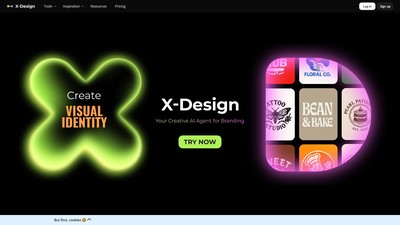
X-Design is a creative AI agent for branding, offering an all-in-one AI design solution from logo creation and brand guide generation to product image editing and marketing material creation, designed to help small businesses quickly establish and maintain a consistent brand identity.
MAKE YOUR NEXT MOVE
Visit the official website to explore the latest features and get started.