
Voice to readable text
Capture a thought by speaking and receive a text draft, reducing the friction of opening a blank document.
TOOL PROFILE TOOLAI
Speak a rough thought, then turn it into a clearer note in the style and language you choose.
 View full image
THE BIG PICTURE
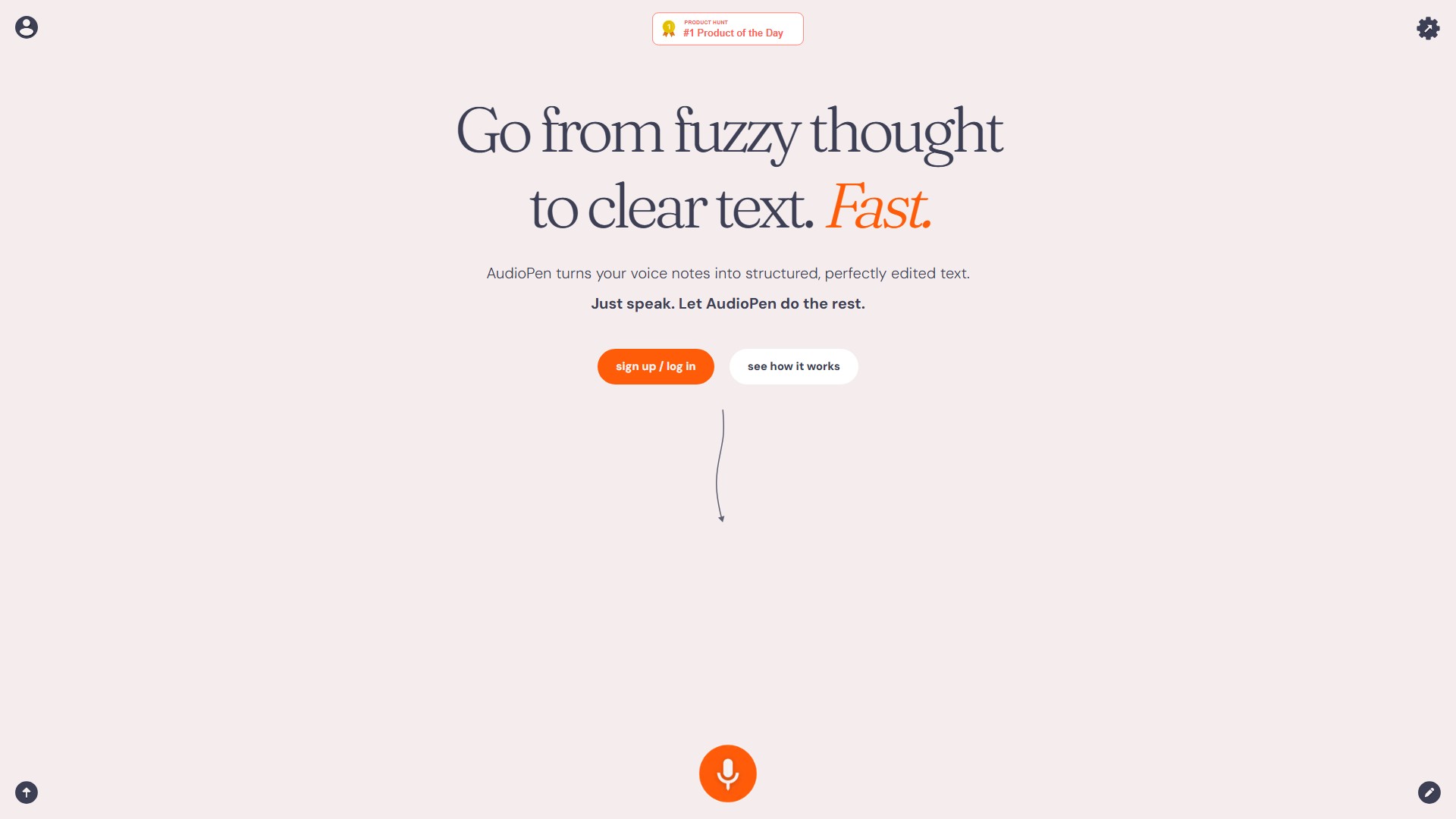
AudioPen records spoken thoughts and turns them into readable text. Its distinctive step comes after transcription: choose a writing style and output language, then set how lightly or heavily the text should be rewritten. You can also upload audio recorded elsewhere, add to an existing note, combine notes, or restyle text. The official site lists web, iOS, Android, Chrome, Mac, and Windows access.
AudioPen is most useful when speaking is easier than composing a first draft. It can make a messy voice note easier to revisit, but a clean paragraph is not a perfect transcript: names, numbers, decisions, and nuance can disappear during rewriting. Keep the original context and review the result before treating it as a record of a meeting or a final piece of writing.
A CLOSER LOOK
Explore product screens and published examples. Open any image for a closer look.
WHAT YOU CAN DO
Get to know the capabilities. Find your own way to use them.
Capture a thought by speaking and receive a text draft, reducing the friction of opening a blank document.
Pick a preset or custom writing style and choose how closely the result should follow the original wording.
Write the final note in a language different from the language spoken, then review terminology and meaning.
Prime adds audio and text uploads, note combining, and ways to revise an existing note rather than starting over.
Use supported web and mobile apps, with desktop tools and integrations listed by AudioPen for capture and sharing.
MADE FOR YOUR WORKFLOW
Talk through an idea before it is organized, then use a light rewrite to create a draft that still sounds like you.
Record your own recap while decisions are fresh, then verify owners, dates, and open questions before sharing it.
Capture an idea away from your desk and turn it into a short note you can search and edit later.
YOUR FIRST STEPS
Speak clearly or choose an audio file. For important material, preserve the original recording.
Select a style and output language, then set the rewrite level to keep or reshape your wording.
Correct names, numbers, quotations, decisions, and any sentence where the rewrite changes your meaning.
Store the note, add it to an existing note, or combine related notes into a summary for later review.
PLAN YOUR NEXT STEP
Free access is available. The official site currently lists AudioPen Prime passes at $33 for 3 months, $99 for 1 year, or $159 for 2 years.
PLAN
Try voice notes and basic rewriting before deciding whether the expanded Prime feature set fits your workflow.
Free
Free access
PLAN
Prime adds longer and unlimited workflows, note combining, audio/text uploads, restyling, and other advanced tools.
$33
3-month access
PLAN
Longer access periods are listed at $99 for one year and $159 for two years on the official site.
$99 / $159
1 year / 2 years
Prices, usage limits and terms can change. Confirm the latest details on the tool's official website before subscribing.
Checked on 4 October 2026. Prime pricing is shown in USD on the official site; offers, billing presentation, and local prices may change. Confirm the access period and renewal terms on the checkout page.
Sources checked
No. It also rewrites a transcript in a selected style and can produce the final note in a different language.
The official Prime page lists audio-file uploads. Check current limits and supported formats in the app before preparing a batch.
Yes. AudioPen describes low, medium, and high rewrite levels. Review the result because stronger editing can remove nuance.
The official site currently shows $33 for 3 months, $99 for 1 year, and $159 for 2 years. Confirm the checkout's current price and renewal terms.
FROM THE COMMUNITY
Sign in to share your experience and help others find the right tool.
YOUR NEXT DISCOVERY

ChatGPT to PDF, a chrome plugin that converts online conversations to PDF format. Ideal for businesses seeking efficiency and convenience. Don't miss out on important conversations, try ChatGPT to PDF today. Launched in Chrome Extensions.

Superflow: the swiftest annotation tool for digital design. Comment & collaborate on your website. Craft rich annotations, record media, host live design reviews, GPT-4 AI Copilot rewriting, and more! Integrates with ClickUp, Slack, Asana, & Webflow.

A tool to create meaningful characters and settings.
Teameet is a free video conferencing app that enables you to have high-quality video meetings without limitation on duration. It provides a secure and reliable platform to chat with colleagues, make calls, and share your screen, all within one platform.
MAKE YOUR NEXT MOVE
Visit the official website to explore the latest features and get started.