
Lion Accountability Browser
Main Features & Characteristics:
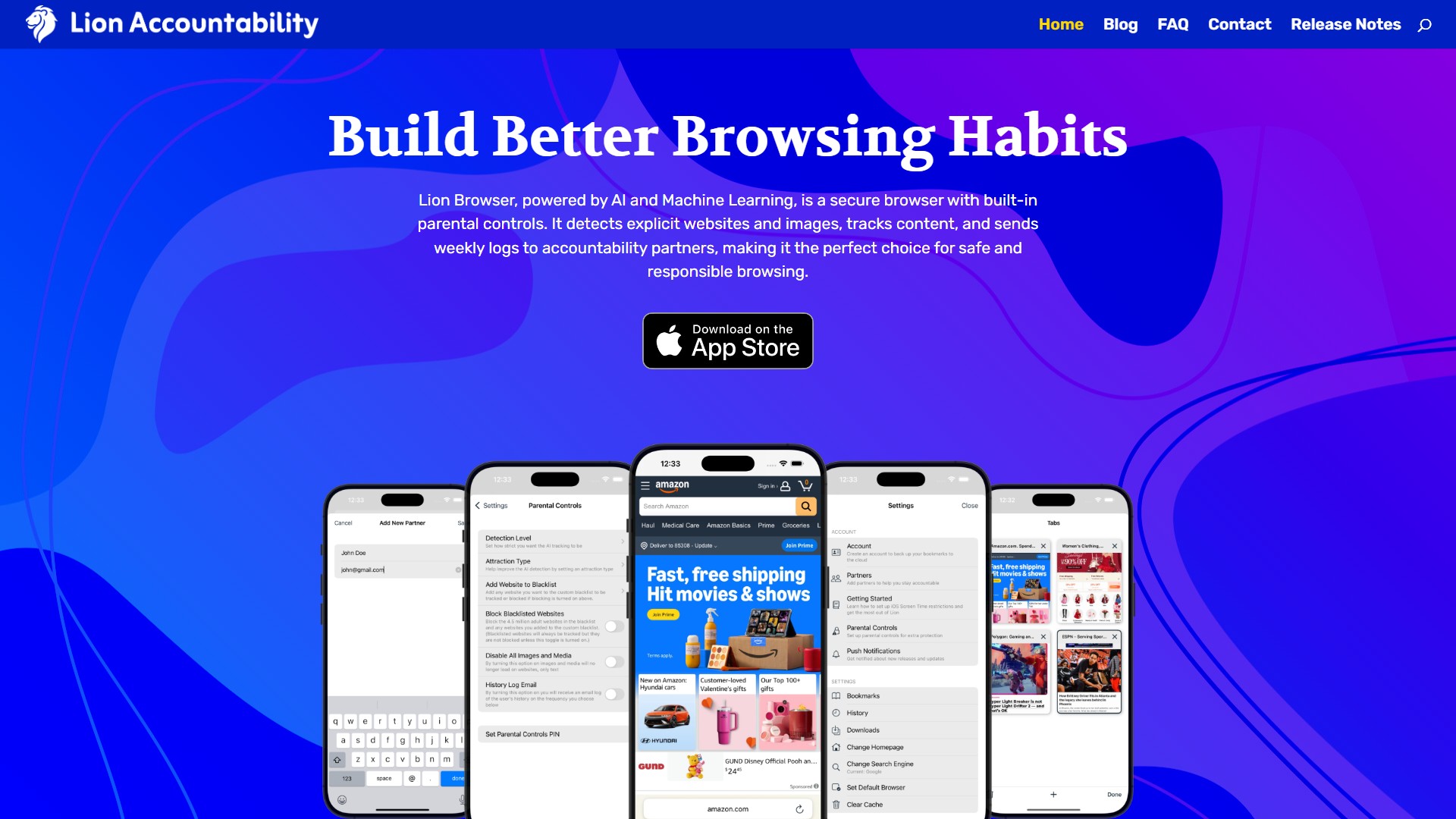
- AI Tracking & Detection: AI-powered detection flags explicit websites and images in real-time, keeping browsing safe while allowing users to adjust detection sensitivity.
- Filtering: The blacklist includes over 4.5 million adult websites, with more added daily. Users can track or block these sites and customize the list to include any website.
- Local Privacy: Lion Browser keeps all browsing logs and data stored locally on the device. No servers or cloud storage are used, ensuring complete privacy and security.
- Controls: Built-in parental controls let users block sites, adjust detection sensitivity, and disable media. Settings can be locked with a PIN for extra security to prevent unauthorized changes.
- Reports: Users can enable daily or weekly logs that track browsing history and flagged content. These reports are securely shared with accountability partners.
- Speed: Optimized for fast, smooth, and secure browsing, ensuring quick page loads while keeping filters active in the background.
Target Users: Individuals seeking internet accountability, parents needing to protect teens from explicit content, and users wanting to build transparent and responsible digital habits.
Core Advantages: Combines AI real-time detection with local privacy storage, offering a fast browsing experience without VPN; features robust built-in parental controls and PIN-protected settings; the accountability partner report sharing mechanism effectively promotes healthy habit formation.
Typical Use Cases & Workflow:
- Download Lion: Head to the App Store, download Lion Browser, and follow the setup process to enable key features.
- Add a Partner: Select an accountability partner who will receive browsing reports to promote transparency; multiple partners can be added.
- Adjust Parental Controls: Customize detection levels, enable content blocking, fine-tune restrictions, and set a PIN to prevent unauthorized setting changes.
- Disable Safari: Go to Screen Time > Content & Privacy Restrictions and disable Safari to ensure all browsing happens through Lion for complete tracking and filtering.
- Restrict App Downloads: Enable "Ask to Buy" or require approval for app downloads in Screen Time settings to prevent bypassing restrictions.
Pricing Information: The page does not provide specific pricing tiers, but user reviews mention it is "cheaper for sure" compared to alternatives, indicating a paid model.
FAQ & User Feedback: The page does not detail the FAQ section, but user reviews highlight that unlike Covenant Eyes, Lion does not use a VPN, restoring internet speed; the interface is simple, beautiful, and aligns with Apple's design philosophy; setup is simple with browsing functions on-par with Safari; it receives five stars for price, quality, and functionality among iOS accountability apps.
의론