
Missive + AI
Main Features & Characteristics:
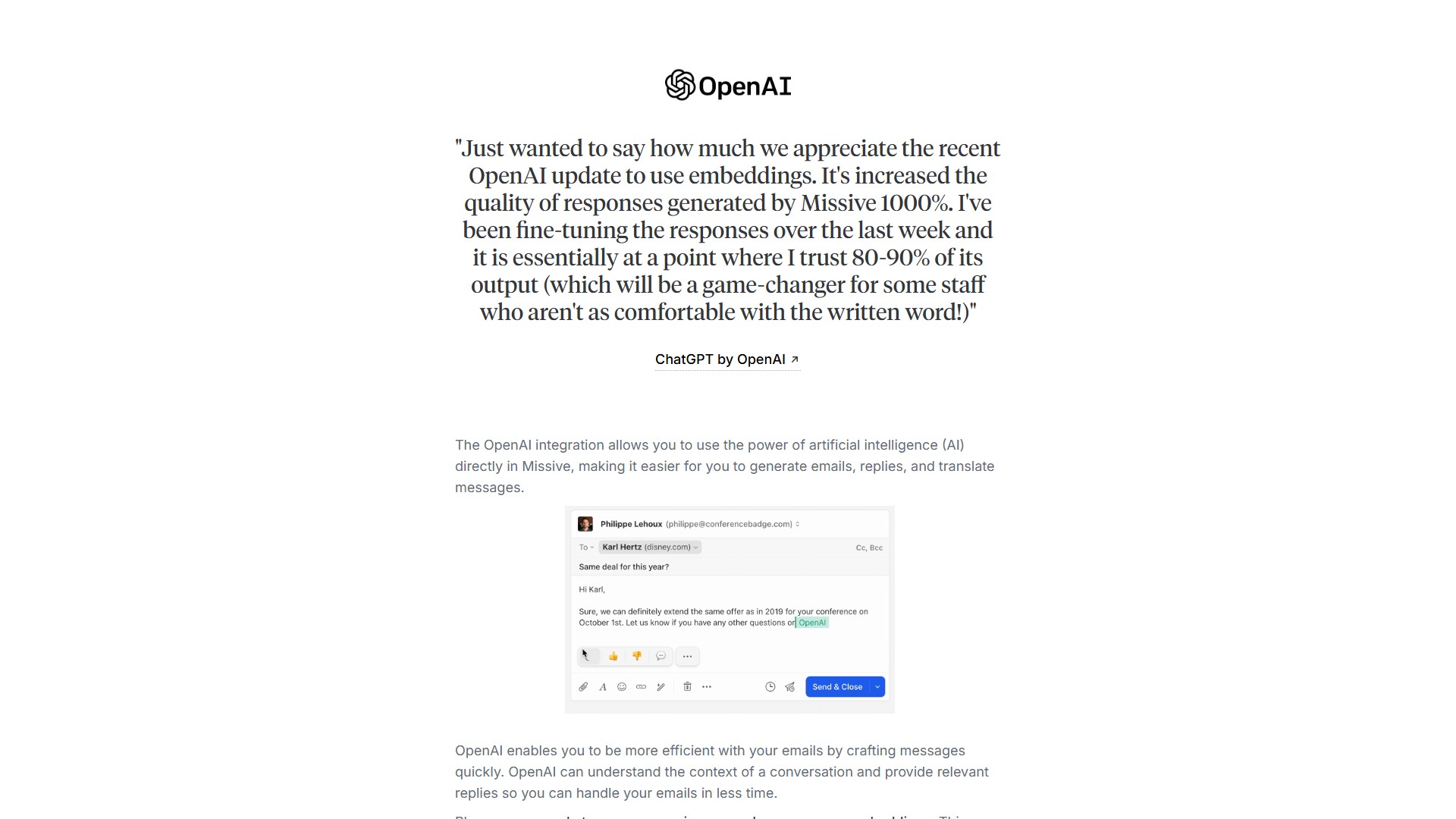
- AI Email Generation & Reply: OpenAI can understand the context of a conversation and provide relevant replies, enabling users to handle emails in less time.
- Reply using canned responses as embeddings: Users can reply to messages using canned responses as embeddings. The AI can access canned responses and use the related ones as a source of knowledge to reply to any messages using contextual data from the business.
- Message Translation: The integration lets users translate messages, making it easier to communicate with people in different languages without back-and-forth between the email client and a translator app.
- Prompt Option: The 'Prompt...' option allows users to give more context and specific instructions to the OpenAI model for more flexibility, enabling more accurate and relevant responses.
- Model Support: Supports GPT-3.5 as well as GPT-4 for more accurate results.
- Prompt Templates: For repetitive tasks, users can utilize prompt templates in Missive, or save their most used prompts for easy access and quick actions.
Typical Use Cases (Prompt Examples):
- Grammar & spelling: Fix grammar and spelling errors in [selection]
- Improve: Improve [selection] given this context: [message]
- Timezone: Convert [selection] from EST to PST
- Translation: Translate [selection] to language detected in [message]
- Annoyed tone: Reply negatively to [message] using an annoyed tone
- Formal tone: Rewrite [selection] with a formal tone
- Casual tone: Rewrite [selection] with a casual tone
- Ending: Write a sentence to end a reply to a customer request email
Usage Flow:
- Create an OpenAI account and generate an API key.
- Go to the integration settings in Missive, locate the OpenAI integration, enter the API key, and click 'Add'.
- When composing an email or reply, the OpenAI icon will appear at the left bottom of the email or in the sidebar.
- Use the 'Prompt...' or 'Generate reply' buttons to quickly compose emails.
- Translate a message by selecting the OpenAI icon at the left bottom of the message and choosing the desired language.
Pricing & Billing Information: Using the integration requires an OpenAI API key. Users are charged by the number of words generated by OpenAI; unless generating millions of words, using this integration is not expensive. To get GPT-4 access, the user must have made at least one successful payment to OpenAI (enter credit card in the billing section). Access to GPT-4 is granted one month after the invoice. Note: Paying for a ChatGPT plan is different from an OpenAI account; users cannot connect a ChatGPT account within Missive, an OpenAI account is required instead.
Target Users & Core Advantages: Ideal for teams handling high volumes of email, especially customer support, sales, and contracted services requiring cross-language communication. The core advantage lies in seamlessly integrating AI into the team inbox, and combined with the canned responses embeddings feature, it generates highly trustworthy replies based on the business's own contextual data, significantly improving email processing efficiency and written communication quality.
価格
Starter
$14/mo
議論する