
Cmd J
Main Features and Characteristics:
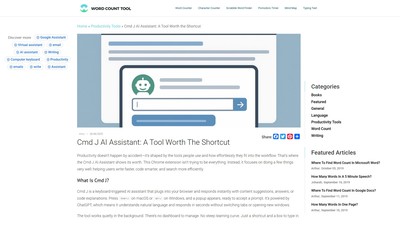
- Popup Interface That Doesn’t Get in the Way: Pressing Cmd+J on macOS or Alt+J on Windows triggers a compact popup to type, hit enter, and get a response without launching a full window or redirecting, keeping the flow intact.
- Context-Sensitive Suggestions: Responds to specific prompts (e.g., summarize a blog post or debug a JavaScript loop) and adapts to the task without relying on a fixed script or template.
- Speed and Simplicity: No document manager or history archive. Designed to respond quickly within the active tab so users can read, react, edit, and move on.
- Seamless Chrome Integration: Runs inside Chrome, eliminating the need to leave the tab or start an external app, making it faster than flipping between browser, code editor, and document window.
- Useful Across Different Content Types: Adjusts accordingly whether working on a blog post, a spreadsheet, a piece of React code, or an FAQ section, not limited to one format or task.
Target Users:
- Writers and Content Creators: Benefits from grammar and tone suggestions, rewording for clarity, fast first drafts for articles/emails/captions, and variations of product descriptions or CTAs. Helps break through writing blocks.
- Developers and Engineers: Reads code and explains what it does, suggests cleaner syntax, helps debug by pointing out likely errors, and generates boilerplate for functions or components.
- Researchers and Knowledge Workers: Offers an alternative to skimming headlines by providing direct answers to queries. Understands and condenses content, such as summarizing the Paris Agreement in three sentences.
Core Advantages: Focuses on doing a few things very well. No dashboard to manage and no steep learning curve. Works independently of any one app—always just a shortcut away whether inside Medium, GitHub, or a site's CMS.
Typical Use Cases:
- Drafting a weekly newsletter by prompting “Write 5 bullets on AI trends”.
- Fixing a broken piece of Python code pasted directly into the box.
- Summarizing a technical research article in plain English.
- Improving the tone of a customer support reply before sending it.
- Creating social media posts from a long blog draft.
Pricing Model: Offers both free and paid plans. The free tier is useful but comes with limits: fewer prompts and slower speeds. The premium plan removes those caps and gives priority processing. For casual users, the free version is often enough, but frequent content creators, developers, or researchers will find the paid version more consistent, especially under deadline pressure.
Visits:
6.0K
Country:
Netherlands
Pricing Mode:
Freemium
Comment